Good Day,
Please could i get assistance in moving my flows to flow runner, i missed the migration window.
App ID: EF84B9E3-E844-4E3F-9BDC-4BDEC08A6ED3
Kind Regards,
Raymond
Good Day,
Please could i get assistance in moving my flows to flow runner, i missed the migration window.
App ID: EF84B9E3-E844-4E3F-9BDC-4BDEC08A6ED3
Kind Regards,
Raymond
Hi @Raymond_Woodley,
Thank you for reaching out.
I’ve sent the exported flows to you via private message. These can be imported into Flow Runner.
Regards,
Sergey
Thank You @Sergey_Androsov
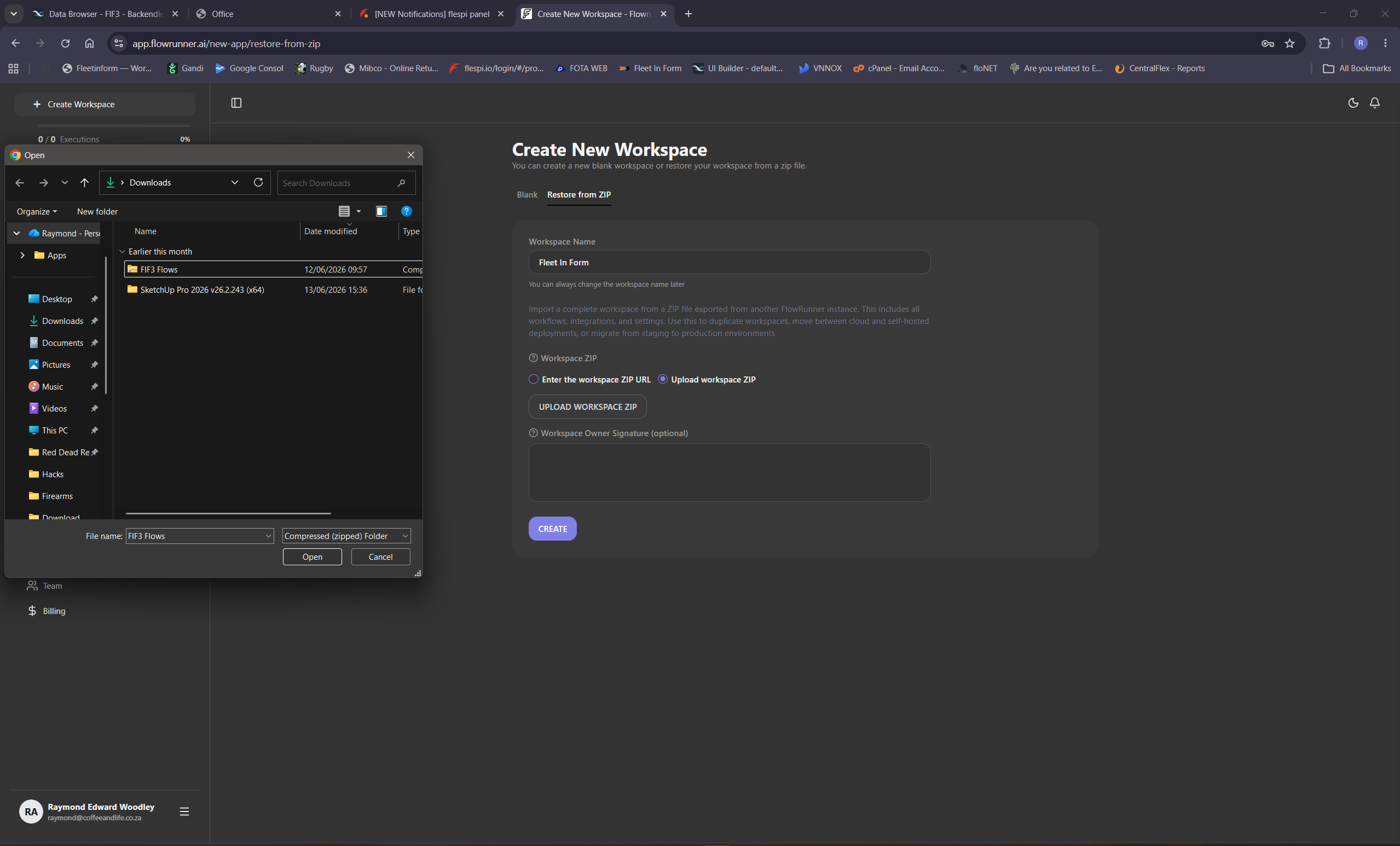
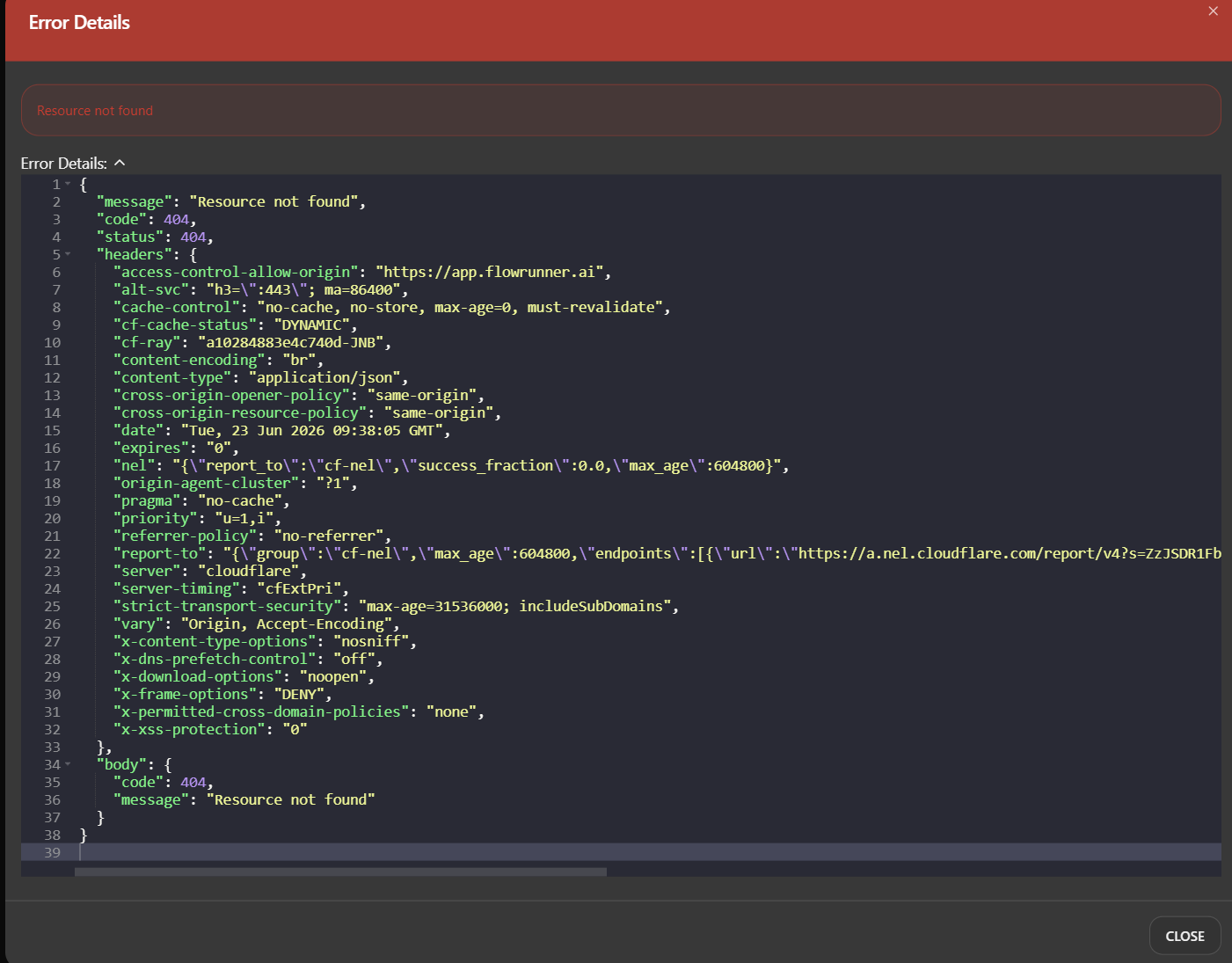
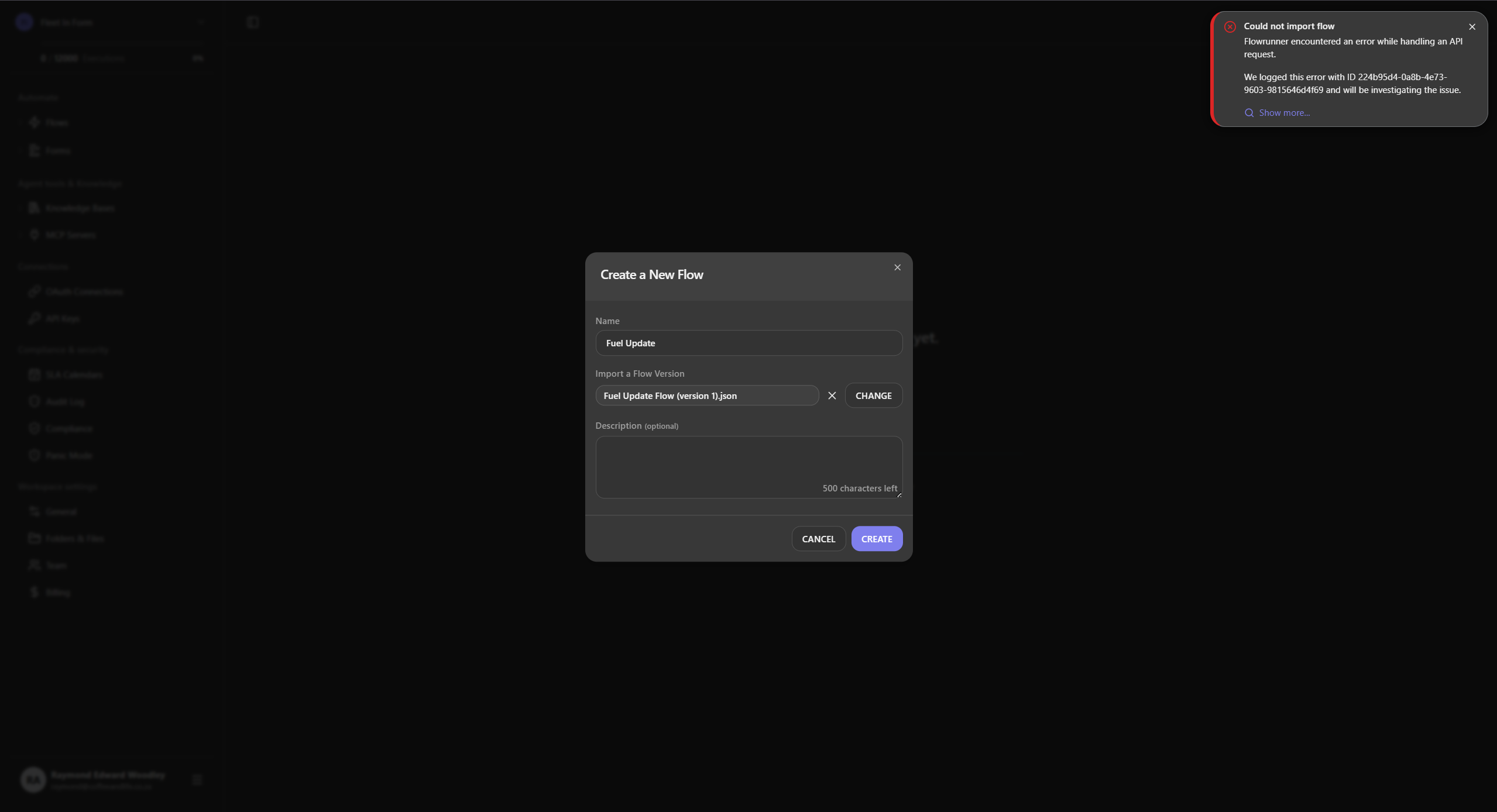
Hi All Please See images and Error
Not Able To Upload Zip
{
“message”: “Resource not found”,
“code”: 404,
“status”: 404,
“headers”: {
“access-control-allow-origin”: “https://app.flowrunner.ai”,
“alt-svc”: “h3=":443"; ma=86400”,
“cache-control”: “no-cache, no-store, max-age=0, must-revalidate”,
“cf-cache-status”: “DYNAMIC”,
“cf-ray”: “a10284883e4c740d-JNB”,
“content-encoding”: “br”,
“content-type”: “application/json”,
“cross-origin-opener-policy”: “same-origin”,
“cross-origin-resource-policy”: “same-origin”,
“date”: “Tue, 23 Jun 2026 09:38:05 GMT”,
“expires”: “0”,
“nel”: “{"report_to":"cf-nel","success_fraction":0.0,"max_age":604800}”,
“origin-agent-cluster”: “?1”,
“pragma”: “no-cache”,
“priority”: “u=1,i”,
“referrer-policy”: “no-referrer”,
“report-to”: "{"group":"cf-nel","max_age":604800,"endpoints":[{"url":"https://a.nel.cloudflare.com/report/v4?s=ZzJSDR1FbDWA9NmnJA%2BlZxKPgvpFR8cuAuBs6H5GPzQ3fisPDMA%2BzkF%2F5GMaQyBSOsNZTrYxwdecr1LOH4WY5V2VK%2B%2Bg5VatOo56aud%2FEcZAP%2F4b%2Fql0EjkGMpPH%2FBs2nXcQXA%3D%3D\“}]}”,
“server”: “cloudflare”,
“server-timing”: “cfExtPri”,
“strict-transport-security”: “max-age=31536000; includeSubDomains”,
“vary”: “Origin, Accept-Encoding”,
“x-content-type-options”: “nosniff”,
“x-dns-prefetch-control”: “off”,
“x-download-options”: “noopen”,
“x-frame-options”: “DENY”,
“x-permitted-cross-domain-policies”: “none”,
“x-xss-protection”: “0”
},
“body”: {
“code”: 404,
“message”: “Resource not found”
}
}
Hello @Raymond_Woodley
You are trying to restore a full workspace from ZIP, but the files sent to you are individual flow exports (JSON format), not a full workspace backup. Please follow these steps instead:
Step 1 — Create a new Workspace:
On the “Create New Workspace” page, select Blank (not “Restore from ZIP”), enter a workspace name, and click CREATE.
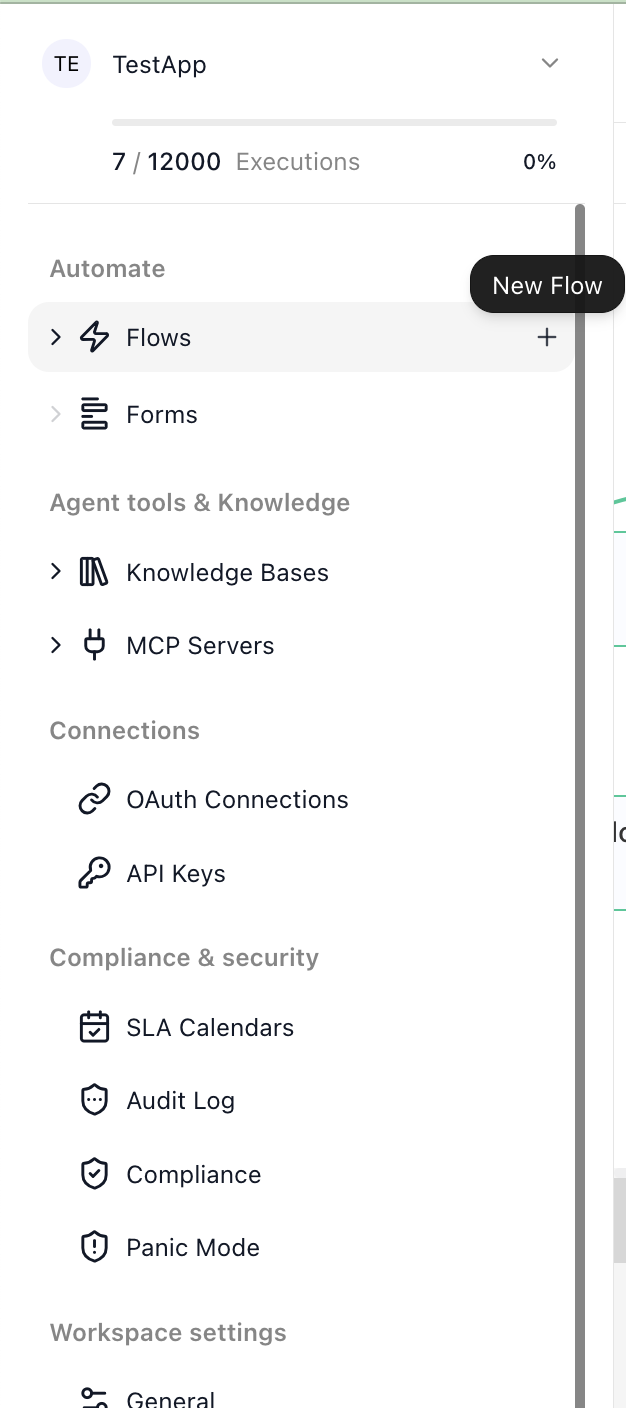
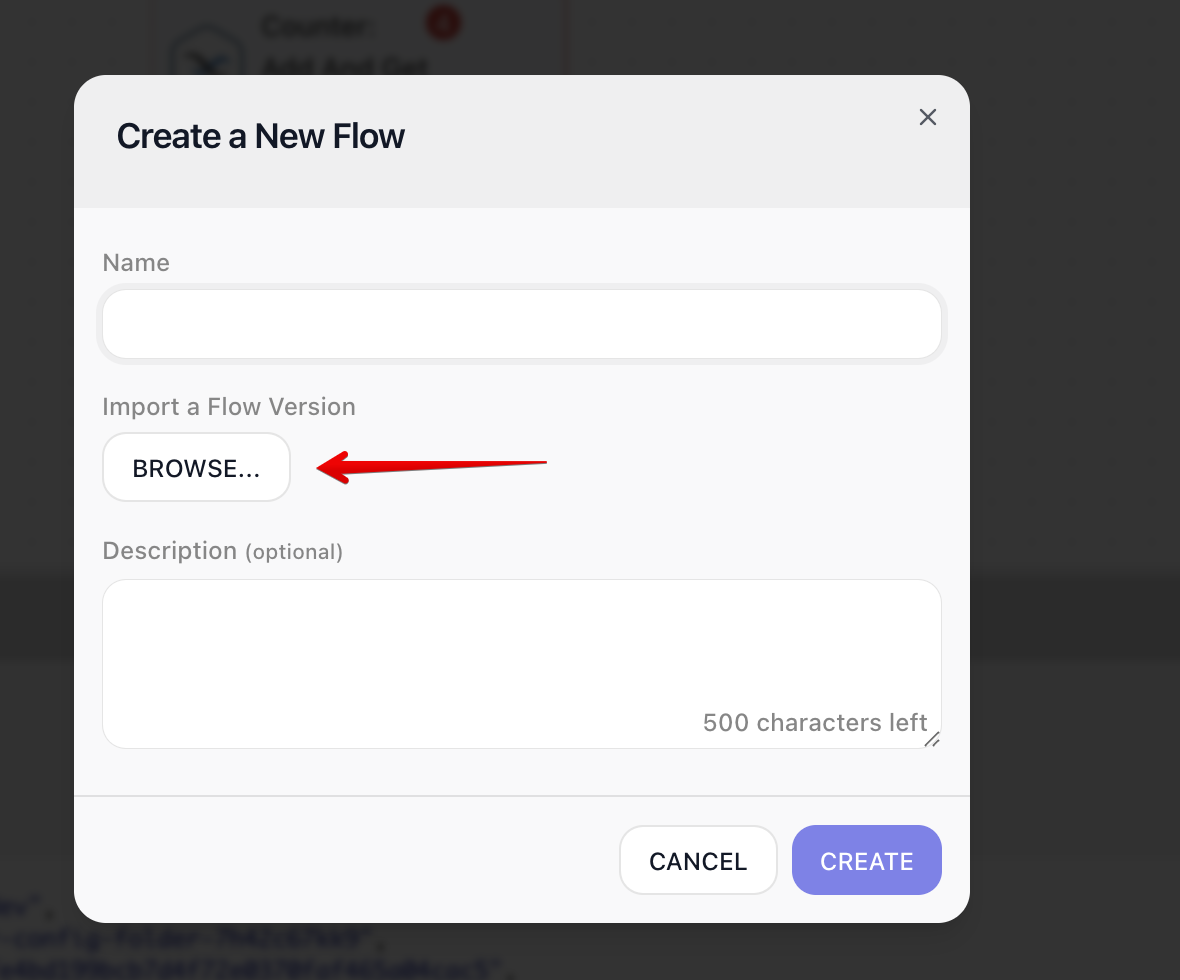
Step 2 — Import each flow individually:
The “Restore from ZIP” option is only for restoring a complete workspace export — it will not work with individual flow JSON files, which is why you are getting the 404 error.
Regards,
Volodymyr
hello @Raymond_Woodley
Thank you for reporting this issue
I was able to reproduce the problem and have created an internal ticket for our development team. As soon as it is fixed, we will notify you here.
Best regards,
Backendless Support