This as worked fine for months/years, but stopped working in the last few days or so. I can see the files from the console, and if I access the backendless link for the file, it gets downloaded. I can’t seem to access it through my custom domain any longer.
Thanks for the report! To help us investigate, could you clarify a few things:
Steps to reproduce – Can you describe the exact sequence of actions that leads to the error? (e.g., trigger the plugin → call list2csv → open URL → error appears)
File name / path – What is the name or path of the CSV file being generated? Does the error occur with any file, or only specific ones?
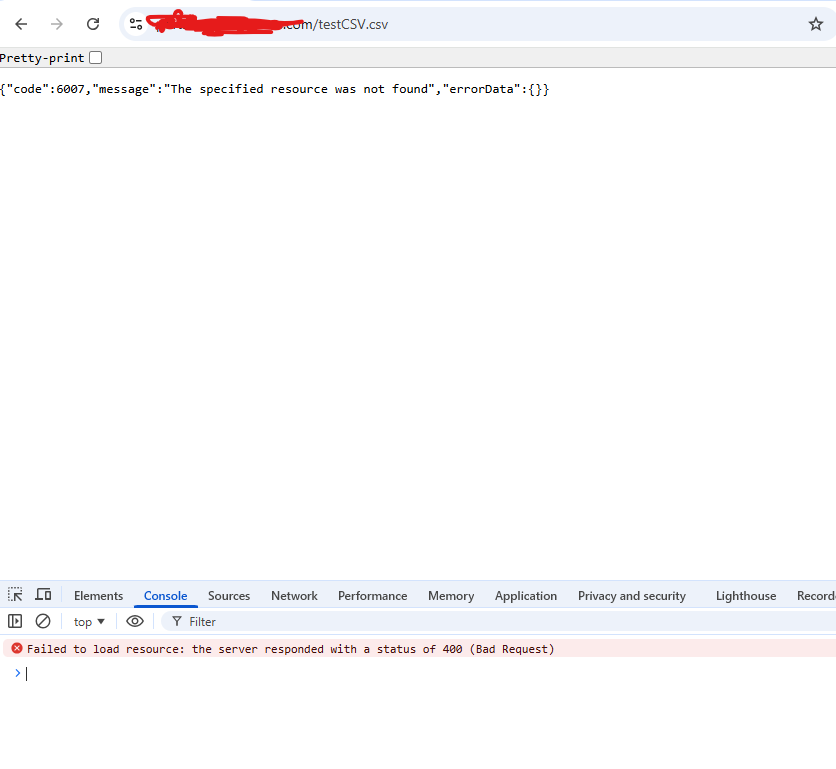
Custom domain URL – What does the URL look like when you try to open the file through your custom domain? (You can redact sensitive parts)
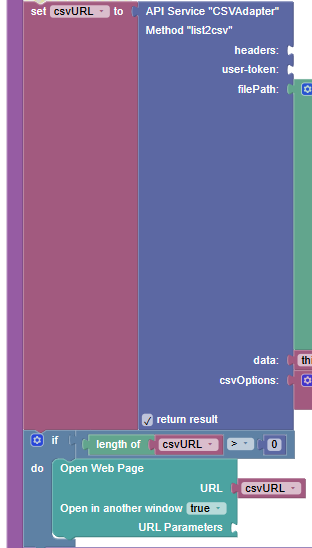
Screenshot clarification – In the screenshot you attached, which service/method is shown? Is it the list2csv call itself, or the subsequent file open/download step?
Recent changes – Were there any changes on your end around the time this stopped working (domain settings, SSL certificate, etc.)?
The Backendless file URL still works, so the issue seems to be specific to the custom domain routing — any additional context would help narrow it down quickly.
Thanks for testing that — this helps narrow it down.
With a Backendless custom domain, files are typically accessed through the File Service path. Even if the file is located in the root folder of the File Service, the URL usually looks like this:
Could you try accessing the file using that format and see if it works?
Since you mentioned that files can still be downloaded using the Backendless file URL, but anything accessed through the custom domain fails, the issue is likely related to the custom domain routing or configuration.
Could you please also confirm:
The exact URL you are using when accessing the file through the custom domain.
What response or error you receive (404, 403, redirect, etc.).
Whether the domain still shows as active/verified in Manage → Custom Domain.
You can also double-check the setup steps here: Custom Domains
No, File Repository access does not need to be enabled for files to be publicly accessible. If a file is stored in the File Service and not restricted by permissions, it can be accessed directly via its URL.
works because it is the direct Backendless file URL, which bypasses the custom domain.
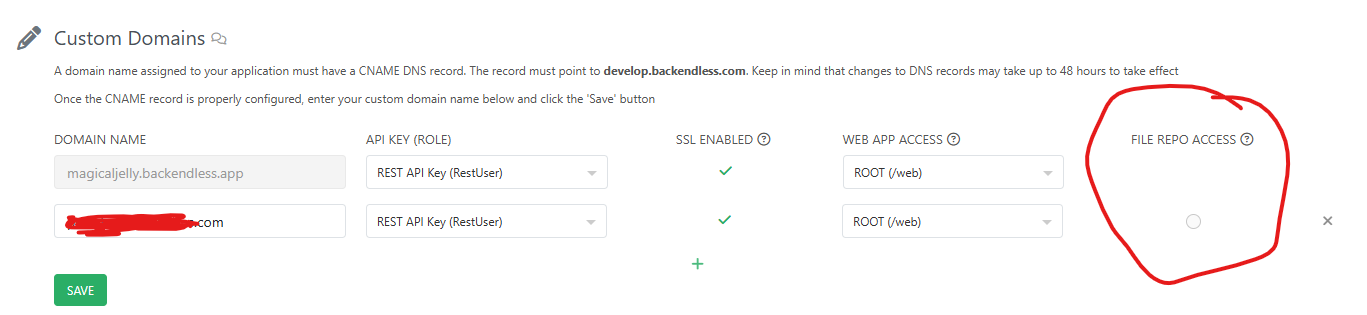
Regarding the setting shown in your screenshot — the tooltip there mentions:
“This is the domain that will be used to generate URLs for the files uploaded to your Backendless File repository.”
This setting simply defines which domain Backendless uses when generating file URLs. It does not affect whether the file repository itself is accessible.
When using a custom domain, files are normally accessed through the File Service path, for example:
https://mydomain.com/api/files/testCSV.csv
If possible, could you check whether this URL works for you?
You can also review the custom domain setup here to make sure everything matches the expected configuration: Custom Domain
I am able to access the file adding /api/files/ to the path.
Nothing on my end has changed. It use to work just fine and then stopped working. I am updating my code to add /api/files/ to the paths, it is just strange that it stopped working and you don’t know why. I am assuming you changed something.
By default, domains open files located in the web directory and its subdirectories. Therefore, to ensure that the link opens at the path you specified, you need to place your file in the web folder.
If the file is located in this directory or any subdirectories below it, you need to use /api/files/
It is good to understand how it works now, but frustrating no one has explained why working behavior stopped working.
Behavior, on which you relied before, was not supposed to work at all. Most probably that there was a bug in routing which was fixed by other changes which were made.
Access to files outside web directory should be done via /api/files in case of custom domains as described here
For files inside of web directory you can omit that part.