Hi @Tim_Jones
@vladimir-upirov gave me tips on handling asynchronous loads sometime back… I thought I would summarise the pattern I am using to handle page object definition/references during page loads and data loads to make things a little easier to implement across multiple pages.
Backendless rules:
- Any database loads cause components on a page to refresh UI/Logic and data binding
- Components that are not displayed don’t fire a UI/Logic or binding refresh
- Yep the Page Load events (On Before or On Enter) are not synchronous in operation. Which makes sense if components need to respond to changes. Blocking of events is not possible and is a feature of the UI/Data Binding framework.
The following pattern will help to not get undefined objects during Page Load events as well as redirect someone to another page or show an error if they are not logged in:
-
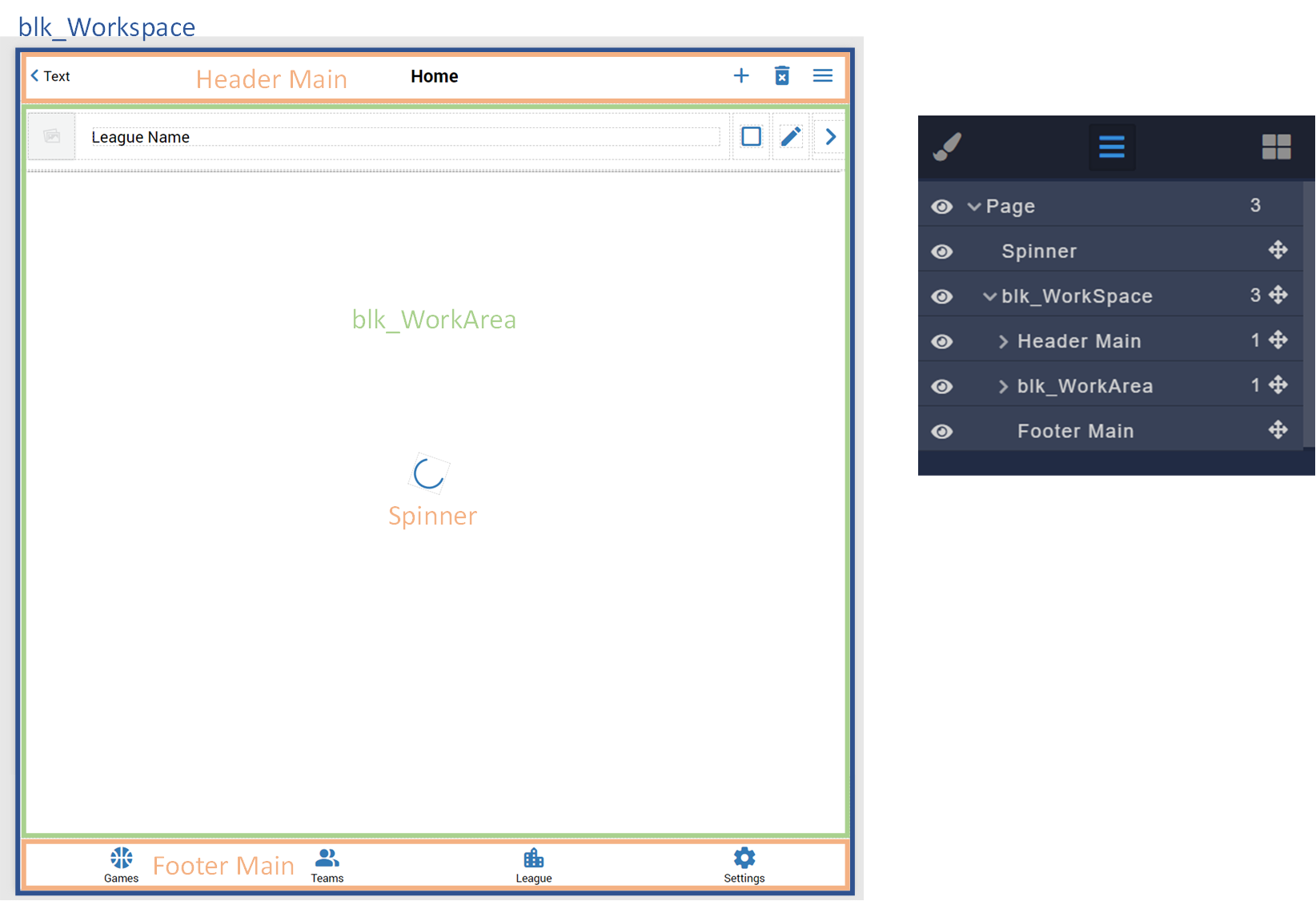
Place standard components and reusable components within a parent Workspace block.
-
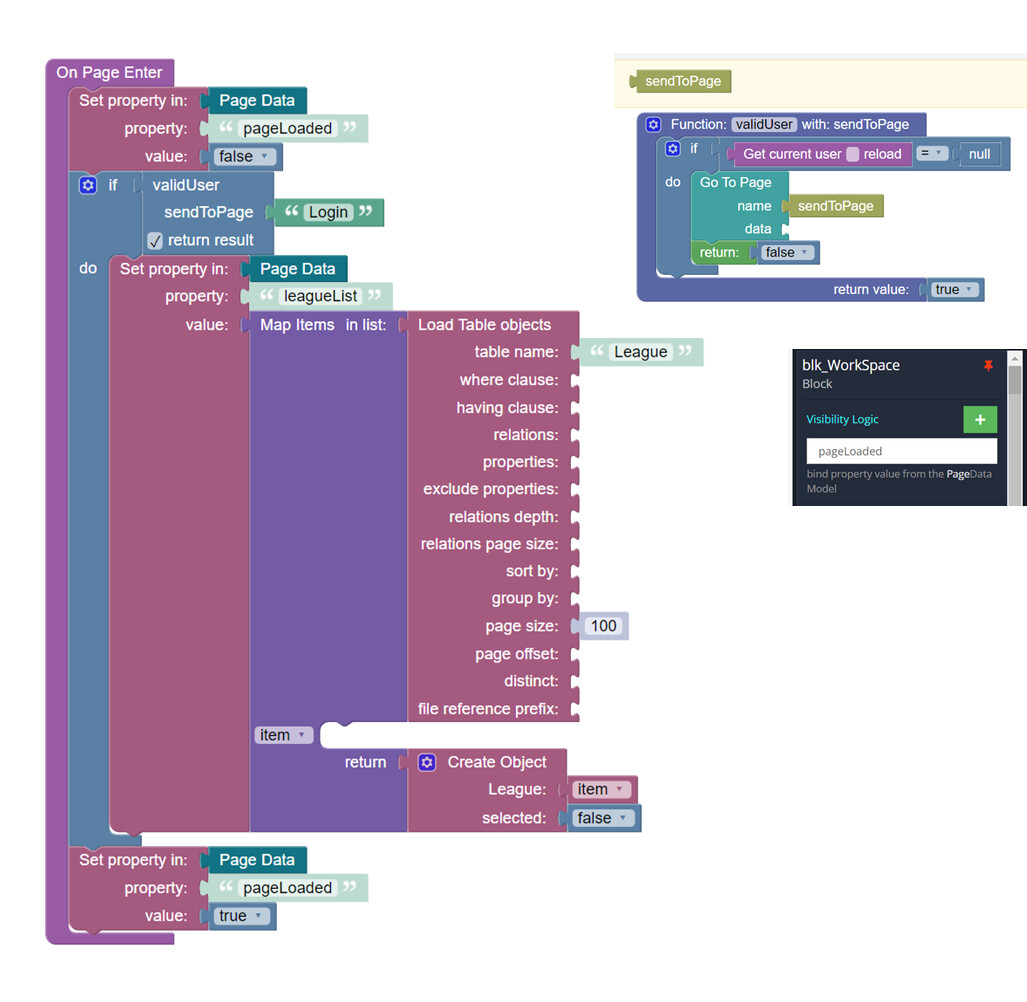
At the beginning of the page load hide the Workspace block with Visibility Logic by setting pageLoaded = false. This will hide all page components - refresh of UI/Logic or data binding will not occur. Therefore no undefined object errors will occur during page load.
-
Validate user, load database, set all objects and values needed.
-
Show Workspace block (pageLoaded = true) - all refreshes for UI/Logic and data binding will now occur.
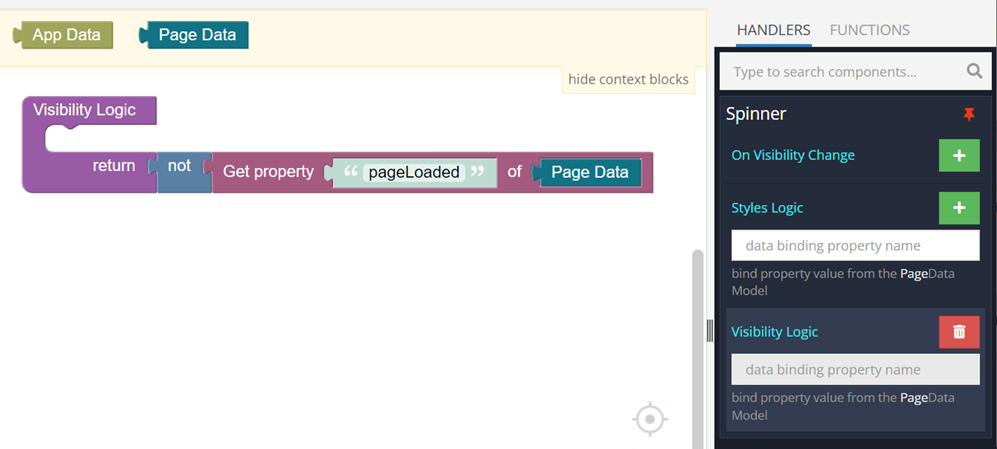
- Show Spinner during steps 1-4 if it helps to inform users that something is happening during page load.