I have an “Order” class and I’m trying to save it to Backendless. I can see from the order is getting saved to the database but my program throws an error when I get the response back:
“swift: 11: 7: fatal error: use of unimplemented initializer ‘init()’ for class ‘test.Order’”
Class causing error:
class Order: NSObject {

 var user: BackendlessUser
 var latitude: Double = 0.0
 var longitude: Double = 0.0
 var locationDetails: String?
 var orderStatus: String?
 var price: Double = 0.0


 init(user: BackendlessUser)
 {
 self.user = user

 super.init()

 }

}
Here is my function to save a newly created order to Backendless:
 func createOrder(order: Order, completion: (Order?,Fault?) -> Void)
 {


 let dataStore = backendless.data.of(Order.ofClass())


 dataStore.save(
 order,
 response: { (result: AnyObject!) -> Void in
 print("Create order response received")
 let obj = result as! Order
 completion (order, nil)
 },
 error: { (error: Fault!) -> Void in
 print("server reported error: \(error)")
 completion(nil, error)
 })
 }
I never see my print statement on line 10, I hit the error before I get to that I guess, but I can see my order has been saved to the database.
After looking through the other questions in the support archive I saw a user with a similar problem and you had them add
 override init() {
 super.init()
 }
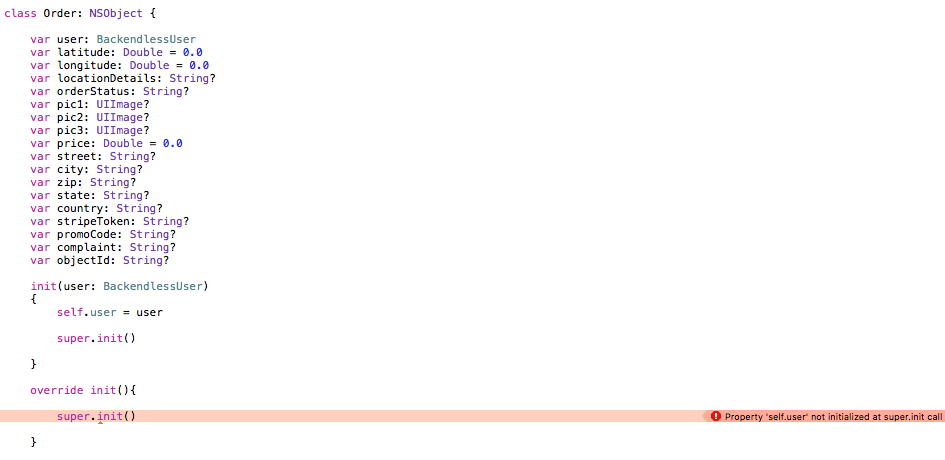
I tried that but then started getting an error “Property ‘self.user’ not initialized at super.init call”. The resolution to that issue in the other thread I was looking at was to set that property to var instead of let but my property is set defined with var and I’m still getting the issue. (see attached)
Edit: Got a little too excited there, problem not yet solved. Making my user property optional allowed me to do the super.init() without errors but I’m getting a new error now at around the same point (after submitting the order to backendless):
2016-09-11 19:11:46.140 test[6923:1383013] *** Terminating app due to uncaught exception ‘NSUnknownKeyException’, reason: ‘[<NSConcreteValue 0x7fb855ebece0> valueForUndefinedKey:]: this class is not key value coding-compliant for the key objCType.’
Your test app works fine for me using both the app id/key you provided and the id/key for my app. Very strange…
When I looked into the error it seems a common cause with Xcode is issues linking UI elements to code but I don’t think thats the issue here. I tried running the code right from my app delegate didFinishLaunchingWithOptions and got the same error so it can’t be UI related.
Any suggestions for where I could investigate? I have no problem creating my order object locally, its not until I run the Backendless dataStore.save function that I get an error.
I just noticed that you are using a different save funciton to me. I added the one you used to my app to see if that would change anything and now I’m getting a new error.
When I execute:
order = backendless.data.save(order, error: &error) as! Order
I get the following error: fatal error: unexpectedly found nil while unwrapping an Optional value
Not sure which optional value its referring to but I don’t understand how that error is occurring. The only required value is the user, any other properties are either acceptable optionals or doubles that are initialized to some value. I assume theres some connection between this error and the one I get when using datastore.save.
This is the whole funciton, i don’t see how I could possibly be getting the stated error:
 func saveOrder() {

 let geoPoint = randomGeoPoint()

 var order = Order(user: backendless.userService.currentUser)
 order.latitude = geoPoint.valLatitude()
 order.longitude = geoPoint.valLongitude()

 var error: Fault?
 order = backendless.data.save(order, error: &error) as! Order
 if error == nil {
 print("Order has been saveded: \(order.objectId) Lat: \(order.latitude) Long: \(order.longitude)")
 }
 else {
 print("saveOrder: server reported an error (2): \(error)")
 }
 }
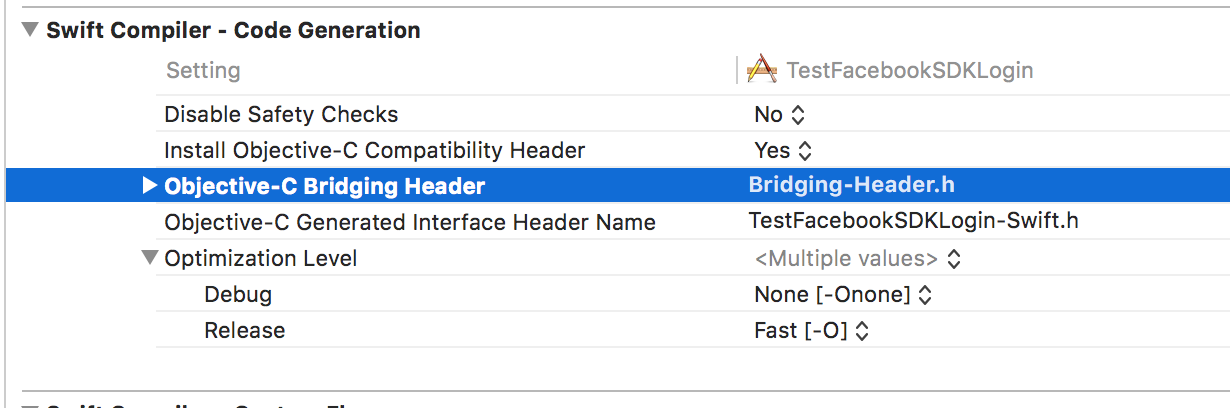
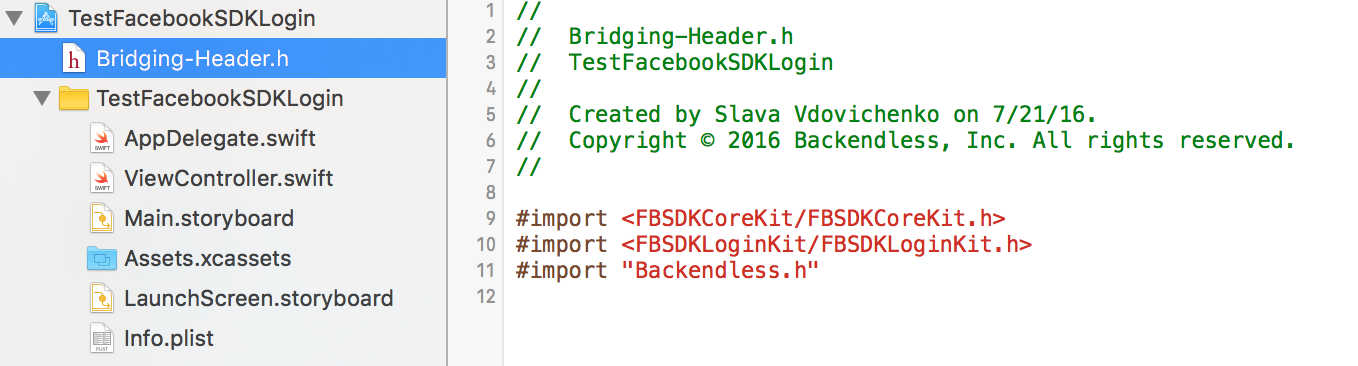
Okay, I had been running release 3.0.32 and I updated to 3.0.38 but now my project doesn’t recognize backendless objects. I tried adding a bridging header in case that was the problem but that didn’t help. (see attached)
This is really bizarre… I was using the SDK with no problems, then I started having the issue that started this thread, then I updated my Backendless SDK using cocoa pods and now my project doesn’t recognize backendless objects.
as described in README of ios-SDK github:
If you use Swift, add to your bridging header file the following
a. for ‘Backendless-ios-SDK’: #import “Backendless.h” #import “MediaService.h”
b. for other pods: #import “Backendless.h”
If you don’t have your briging header file, set “Build Settings → Swift Compiler … → Objective-C Bridgeing Header” (SWIFT_OBJC_BRIDGING_HEADER) option
a. for ‘Backendless-ios-SDK’:
${PODS_ROOT}/Headers/Public/Backendless-ios-SDK/Backendless-With-Media-Bridging-Header.h
b. for other pods:
${PODS_ROOT}/Headers/Public/Backendless/Backendless-Bridging-Header.h
Oh right, sorry, added the import statement to the wrong file.
Okay so my SDK is working fine now, but still having that same issue: fatal error: unexpectedly found nil while unwrapping an Optional value
Very strangely, I was experimenting and tried to create a new order class. I just called it Order2 and literally copied and pasted my original order definition and it worked fine. Out of curiosity, after seeing it work I then renamed my two order classes. I changed my original Order class to Order3 and changed Order2 to just Order. When I tried using the Order class then it resulted in that same failure so somehow the failure is specifically related to the class being named “Order”.
So I guess my issue is solved since I can just use a different class name, but thats really strange to me. It indicates there’s nothing wrong with my code since the same code runs fine if I just change the class name. What could cause an issue like that?. I’m also confused by the fact that I now need the bridging header, is that a new requirement with the latest release?
Thanks for all the help on this! Its really great how responsive you guys are.