Hello @mohammad_altoiher,
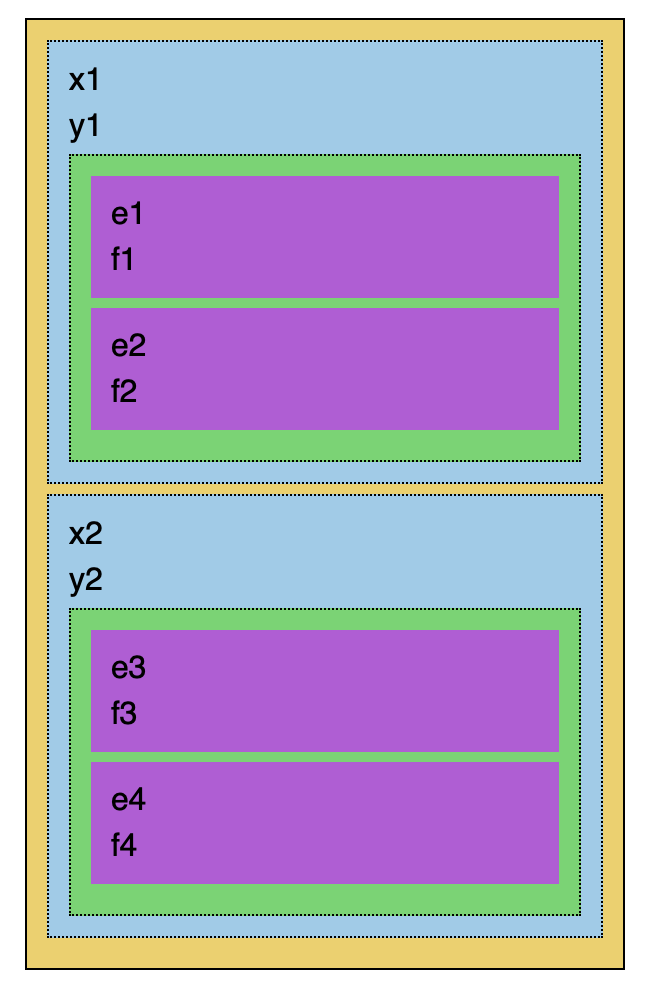
Here’s how the nested blocks should look like:
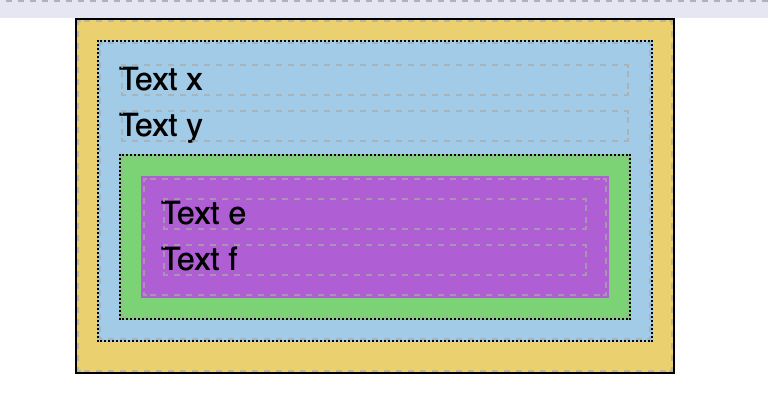
Hope this instruction will be useful:
- I’ve created an array similar to the array, you’ve provided, saved it to the PageData and called it
myArray:
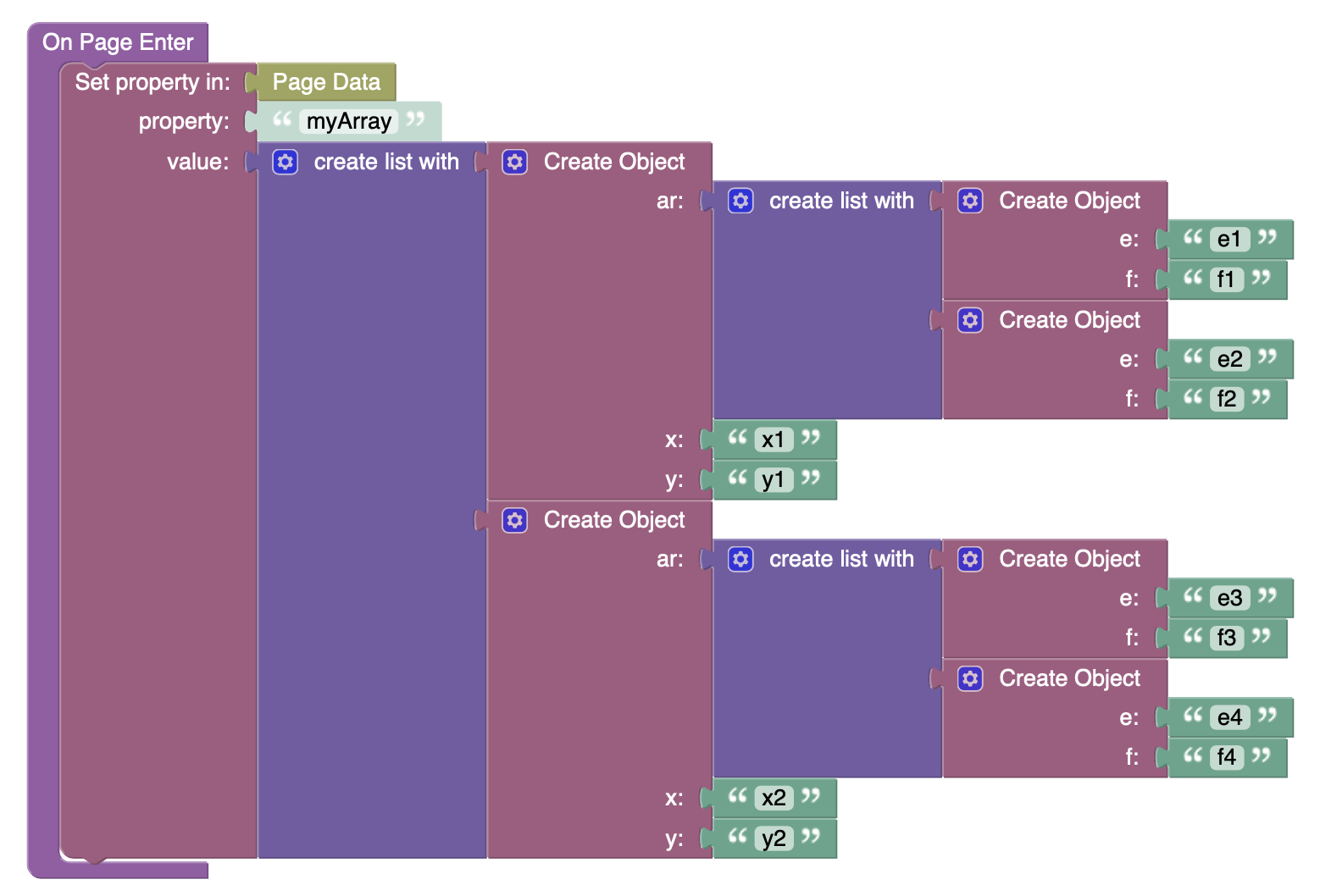
- Added a MyArrayBlock with Dynamic List Behaviour for that array (yellow one):

- Added a MajorBlock inside the MyArrayBlock (blue one). This block doesn’t have any additional logic and used only for grouping major array elements.
- Added Text components in the MajorBlock for
xandyelements to represent x and y properties:

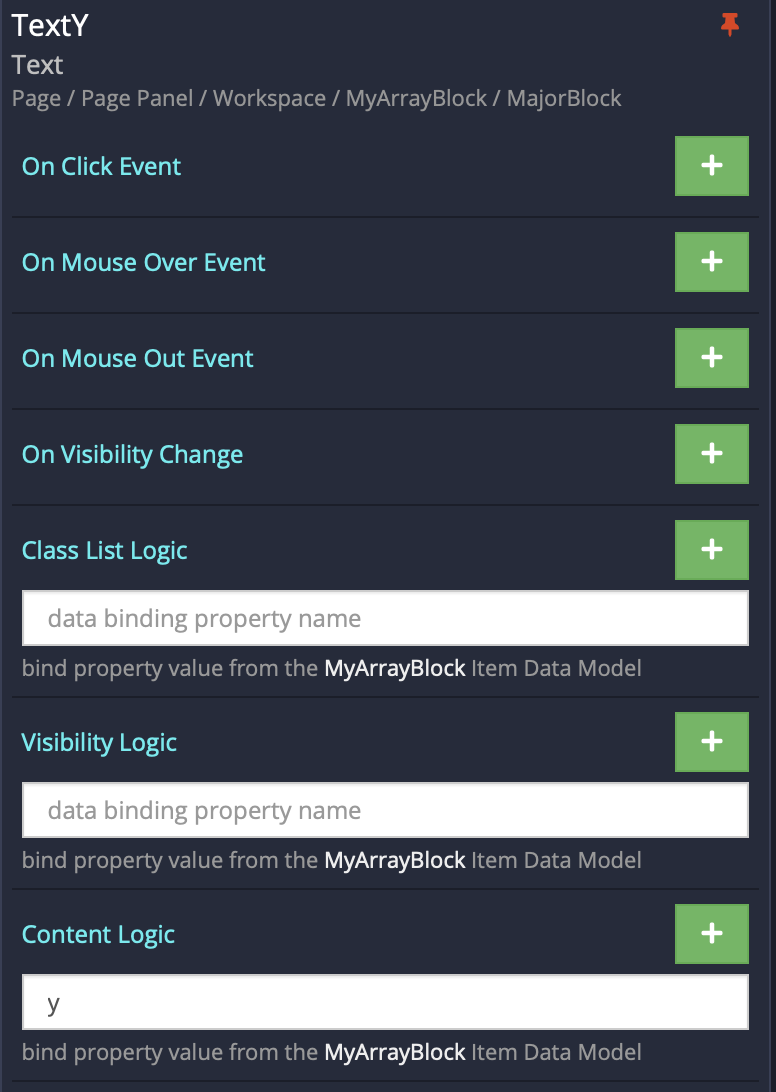
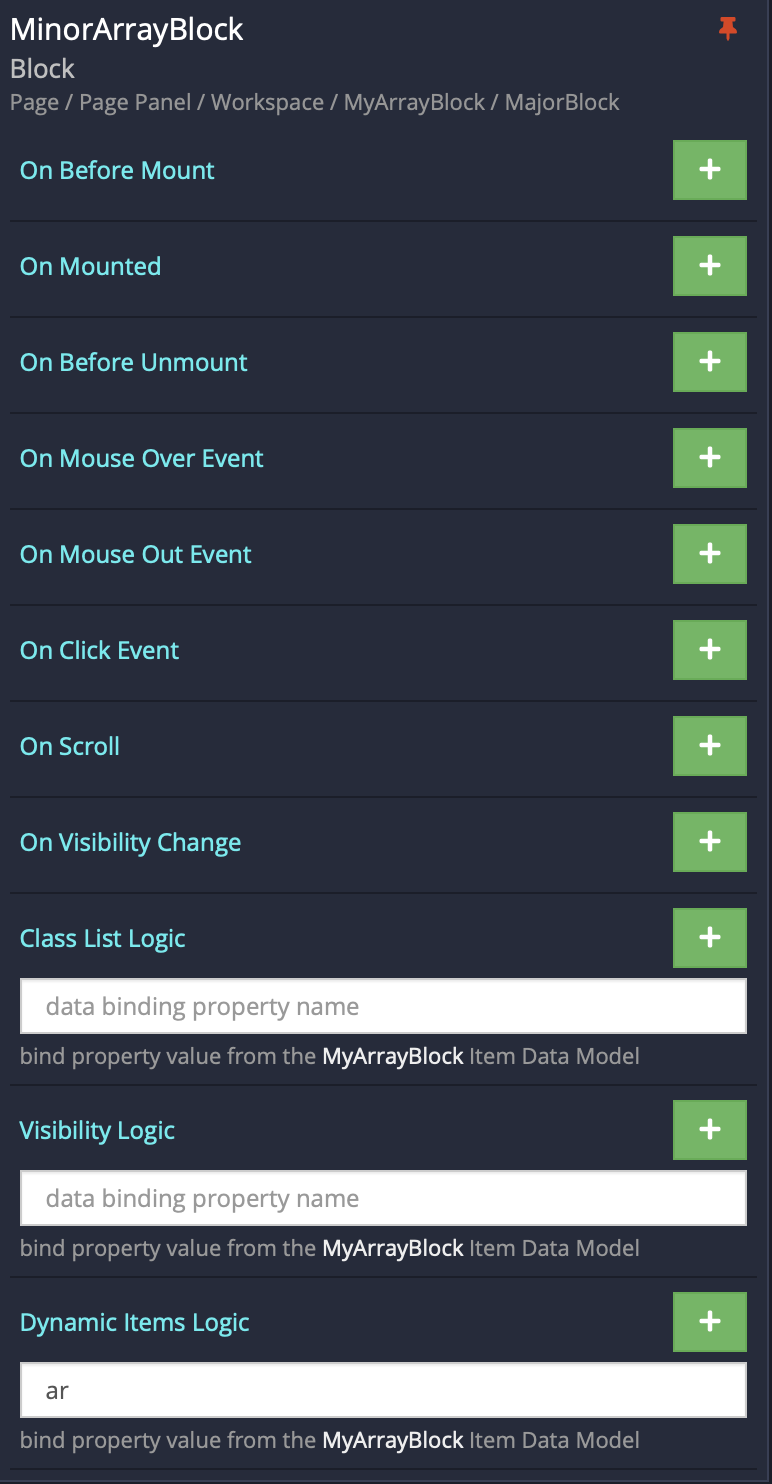
- Added the MinorArrayBlock with Dynamic List Behaviour for the
arproperty (green one):
- Added the MinorItemBlock (violet one). This block doesn’t have any additional logic and used only for grouping minor array elements.
- Added Text components in the MinorItemBlock for
eandfelements to represent x and y properties:
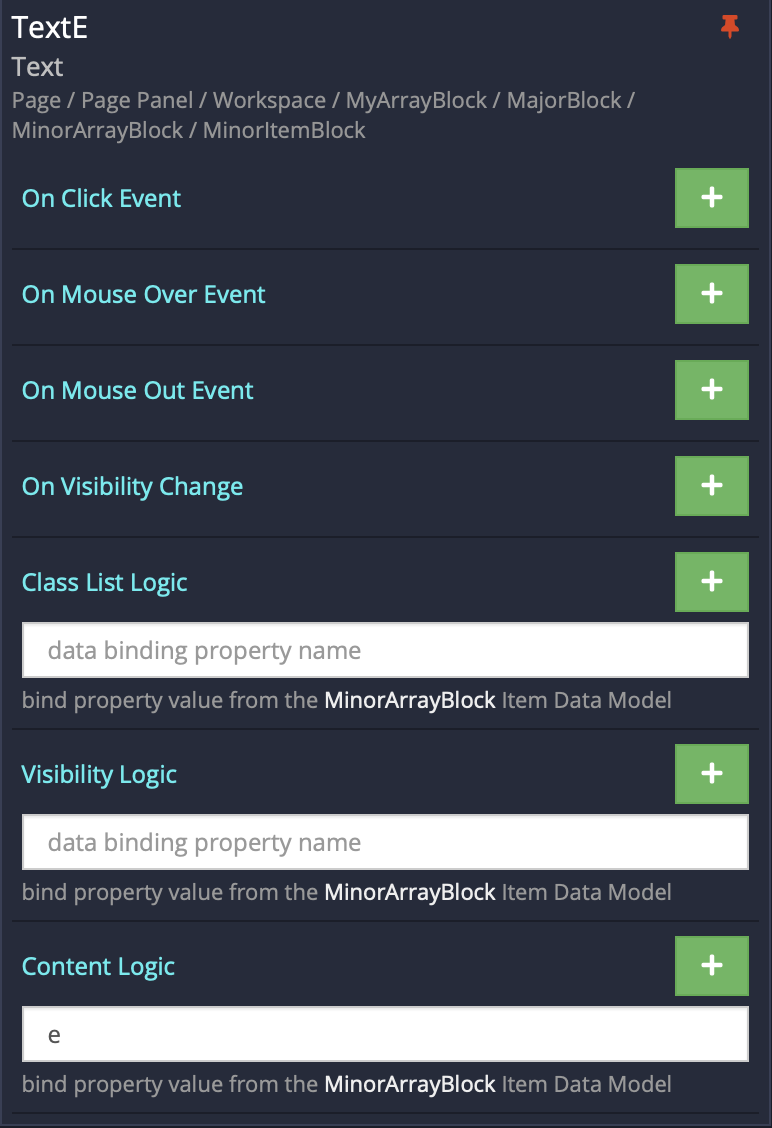
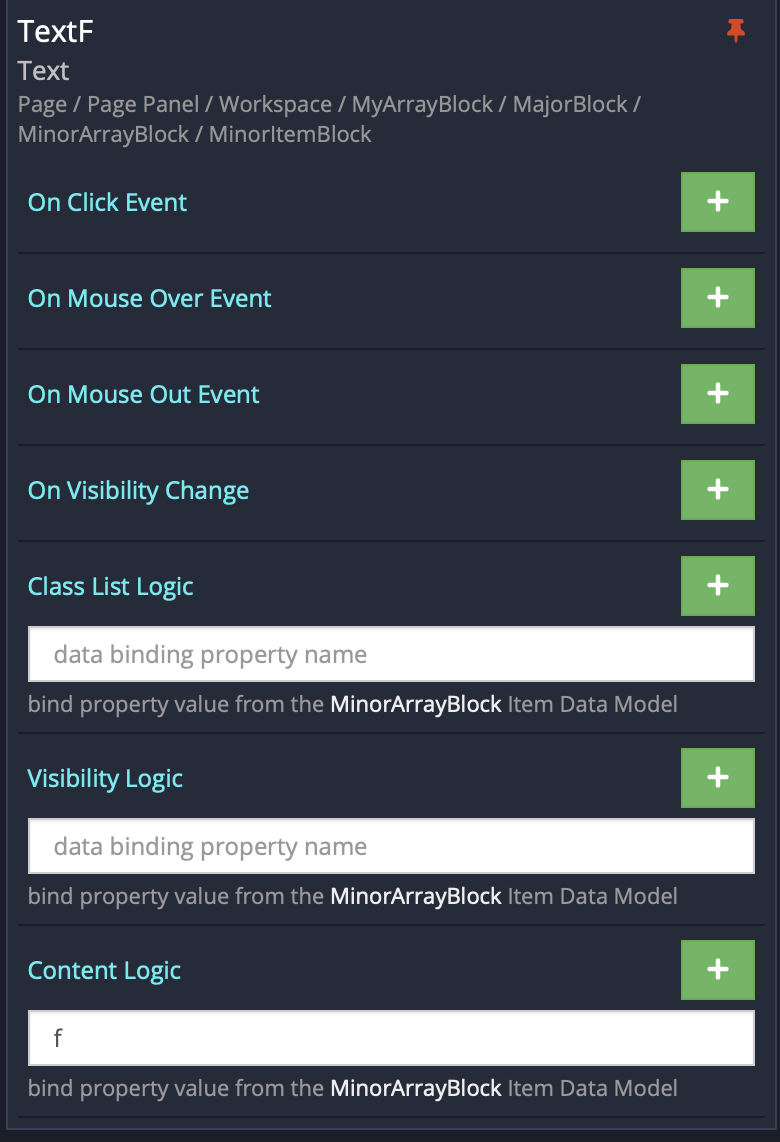
The result is MajorBlock with 2 major objects (blue), that have MinorArrayBlock(green) with 2 minor elements (violet) for each major element.
Regards,
Olha