I downloaded the export files: v1-data-2017_12_07_13_13_41.zip and v1-files-2017_12_07_13_13_38.zip but when I try to import to version 4.3.9, I received the follow error:
Unable to process data import. Make sure to use an archive created by Backendless. If the error persists, please contact support at support@backendless.com
Could you help me please?
Thanks
Hi Wilson,
Just to make sure, you uploaded the v1-files…zip file into the root directory of the 4.3.9 app and then tried importing the v1-data file on the Manage>Import screen?
What is the app id of the application in 3.x?
Regards
Mark
Yes Mark.
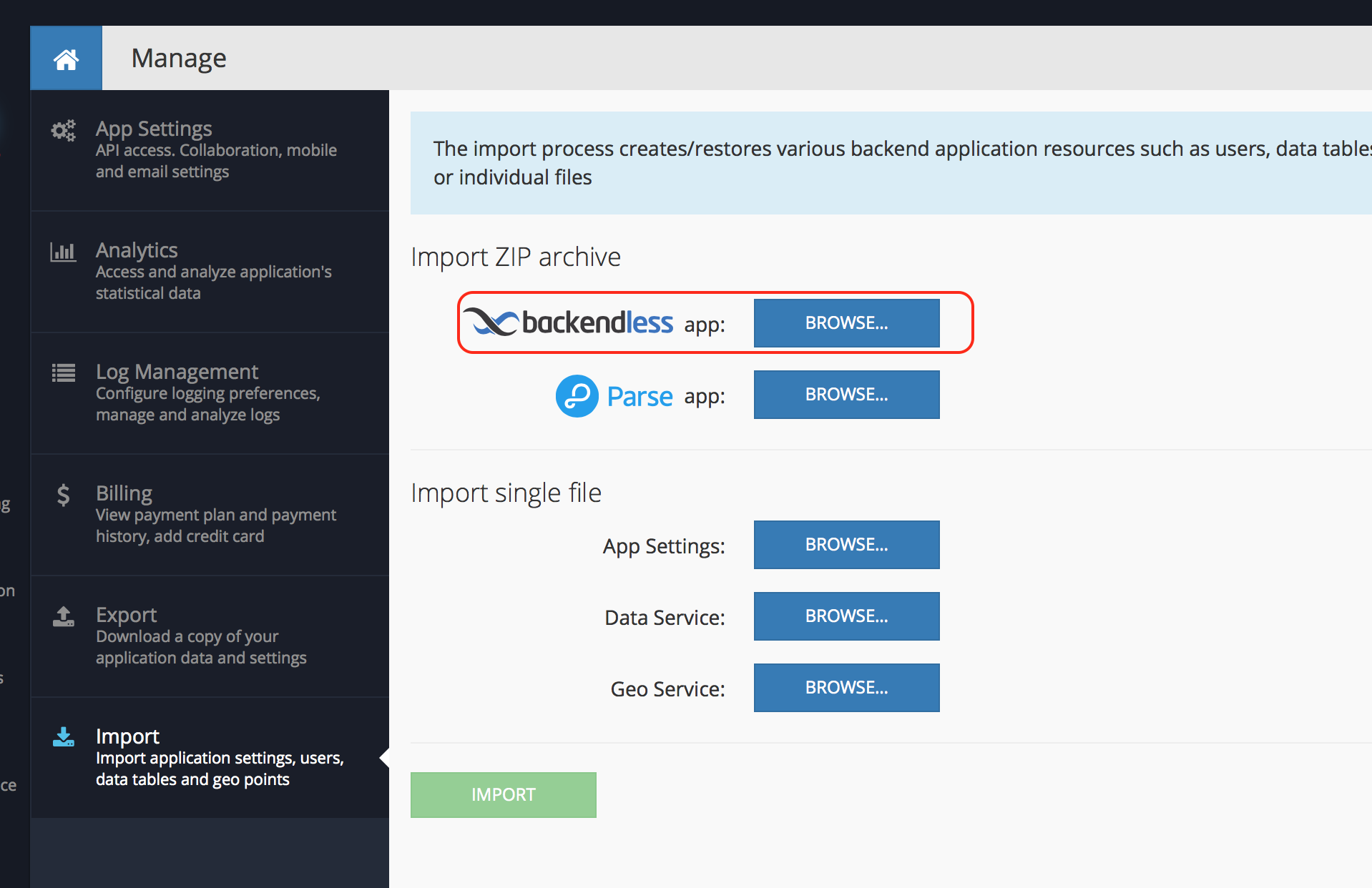
I uploaded the both files in root directory, but when I click on “browse” button in Import sections, open my computer directories to upload the zip file again. I can’t select the zip file uploaded to root directory.
My app called ComidaCaseira.
Thanks
Hi Wilmo,
You should upload only one file into the root of the file storage in Backendless 4. That file starts with the “v1-files”. The other file (v1-data) should not be uploaded into the Files section. Instead, you should select it using the Browse button.
Regards,
Mark
Hi Mark. I deleted the file “v1-data” and I tried again with no success.
I received the same error message: Unable to process data import. Make sure to use an archive created by Backendless. If the error persists, please contact support at support@backendless.com
Hi @Mark. Do you have any update to my case?
thanks
Hello,
Please provide your application id.
Regards, Olga
Hi Olga.
version 4.3.9
11A33052-C7C1-4063-FF03-84F5991F4900
version 3.0.0
C6D6D482-1208-2D4C-FF51-1C5C2567C900
Thanks
Hello Olga.
Any update?
Thanks
Hello @Mark.
Until now, I didn’t receive answer for my issue. I can’t import my data and my app is down.
Please could you help me to transfer my version 3.0.0 to 4.4.3?
Thanks
Hello Olga.
Any update? My app is down.
I need to import my data.
Help me please?
Hello Wilson
Sorry for the delay in response. I’ve just tried migration process with your files and the process itself went smoothly. This error mainly occurs when you try importing the archives which where not generated by backendless.
Please make sure to follow next steps:
-
Open your 3.x application and open ‘Files’ tab > Migration
-
You will see several ZIP files there. Download v1-data… and v1-files archives (generated on 7th of december. https://prnt.sc/hmi390 )
-
Create a new application in version 4 of Backendless
-
Navigate to ‘Files’ and drag-and-drop v1-files archive to the main (root directory). Do not unzip it! System will do it for you
-
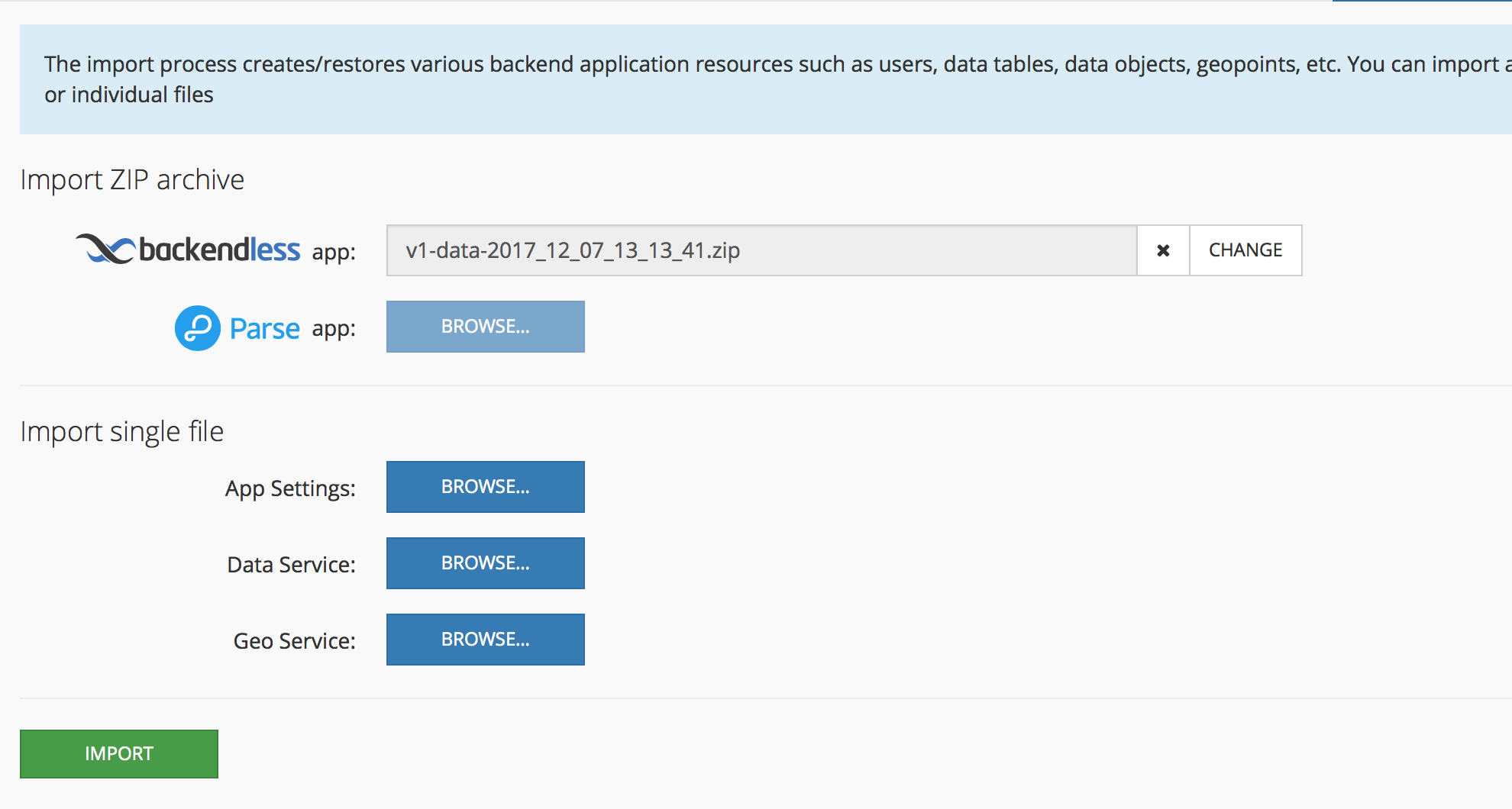
Go to manage > import > upload v1-data file https://prnt.sc/hmi4i4
Wait for 5-10 minutes. Migration log is available at Files > Migration folder of v4 application
When done - please get back with results.
Regards,
Anton
Hi Anton.
Now I got it.
Thank you very much.