Hi
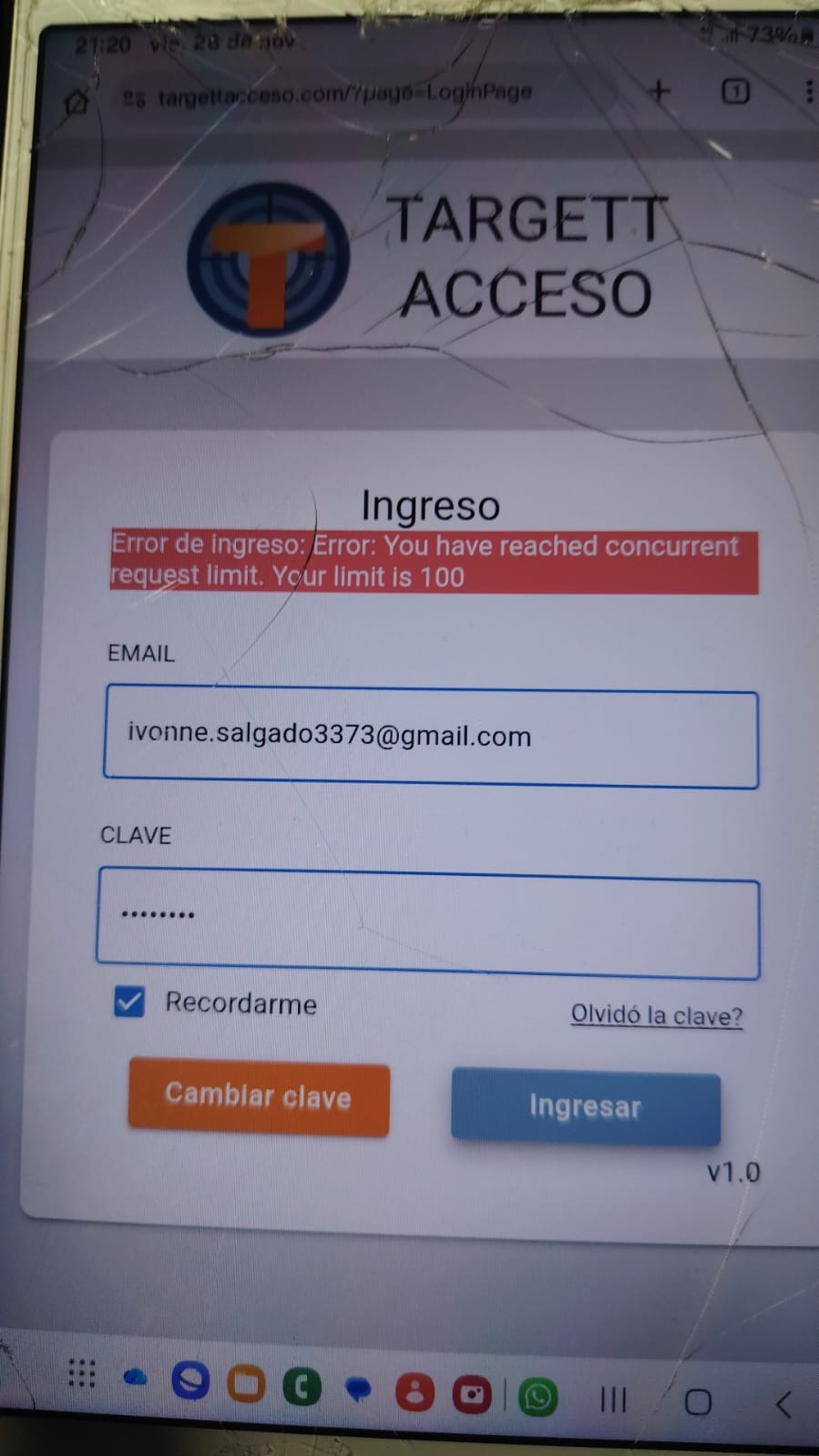
I found this error in a client who the guard never logout. Also I can’t logout automatically because I have an AppleTv working 24/7 with the same login.
Any ideas how to clear this error in this client how to logout from his 100 days of working without logging out just closing the window of the browser.
Thanks Mario
Hi @Mario_Ghersi
Sorry if I didn’t fully understand your question, but I’ll try to clarify.
The error in the screenshot — “You have reached concurrent request limit. Your limit is 100” — means that the application has reached the limit for the number of concurrent requests. This is not an error related to a specific user, and it is not connected to login/logout. It just happened that at the moment this particular user was trying to log in, the request could not be processed because the limit had already been exceeded.
Regards,
Viktor
OK, and how to refresh or logout this user?
Because I can’t logout all users at once.
Thanks, Mario
Hello @Mario_Ghersi
You’re asking about logging out a specific user in order to avoid the error you mentioned earlier:
“You have reached concurrent request limit. Your limit is 100.”?
Do you still see this error happening? If yes, could you share the steps to reproduce it?
Regarding the error itself — it looks like there’s a misunderstanding about what causes it.
The message “You have reached concurrent request limit” is not related to any particular logged-in user. Even if a user has been logged in for 100 days, this does not increase concurrent requests and does not require logout.
Concurrent requests refer to how many requests your app sends to Backendless at the same time.
If the app sends more than 100 simultaneous requests, the platform blocks the extra ones.
Because of that:
- Logging out this user will not resolve the error.
- The issue comes from your application generating too many parallel calls (for example: loops, timers, repeated API requests, or multiple devices sending requests simultaneously).
If you need to log out user for other reasons, that’s possible — Logout documentation.
Regards,
Volodymyr
Dear Volodymyr
Thanks for the information because was a misunderstanding.
The 100 simultaneous request is in how much time?
How to find who is logging to identify my problem?
Thanks, Mario
Hi @Mario_Ghersi,
As my colleague mentioned,
This is not related to who is logged in, but rather an issue in the application logic or a sudden spike of users at the same time.
For example:
When someone opens the login page, your application might make 10 simultaneous API requests. If 10 users open the login page at the same time, that results in a total of 100 requests. The 11th user trying to make requests at that same moment would encounter this error.
To resolve this, you should analyze the Network tab in your application across all pages. Identify any unnecessary or duplicate requests to the server and optimize the total number of requests.
Regarding your question:
The 100 simultaneous request is in how much time?
The limit of 100 simultaneous requests refers to the number of requests happening at the exact same moment, not within a specific time frame. This means your application can handle up to 100 active requests concurrently.
Regards,
Sergey
Hi Sergey
Ok, can I check a graphic of request in my app? Because maybe was some isolate error or something I must repair urgent.
Thanks, Mario
Yes,
You can find your charts by going to the Manage → Analytics tab.
There you will find the Performance and API Calls section.
Regards,
Sergey