I’m not sure why, but for some reason it seems like we are being overcharged for our instance.
I have subscribed to the $15 instance that’s used only for development – NO hosting, no API usage, and we were still billed almost $50 for this month’s usage.
The only way that I view the app while it’s in development, is by using the preview link that generates the token that expires after x amount of minutes, so you have to click on the link to preview the site again.
Also, like I said above, there are very few hits to the Backendless API, because I’m only using an external API for this particular project. The only legit API hits would be me creating and downloading the source’s zip file periodically, and the occasional small image file being downloaded. Also, after publishing (and zipping) the project, the main page of the published site is deleted.
My application ID is: 158A7CC6-8110-427B-B195-EADE4622DF72
I thought that the entire idea about the preview link was so the customers don’t get charged for API hits while the project is in development?
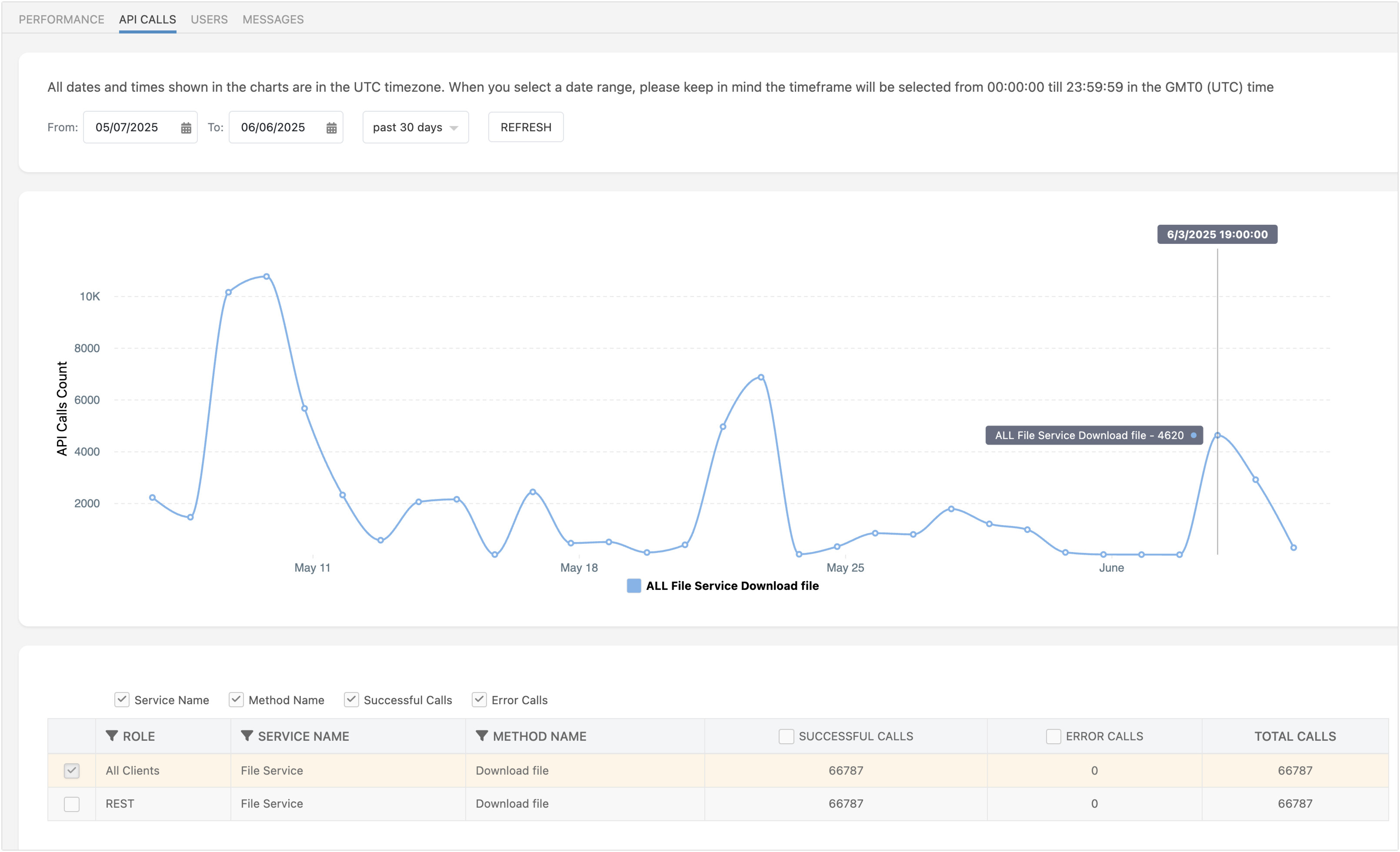
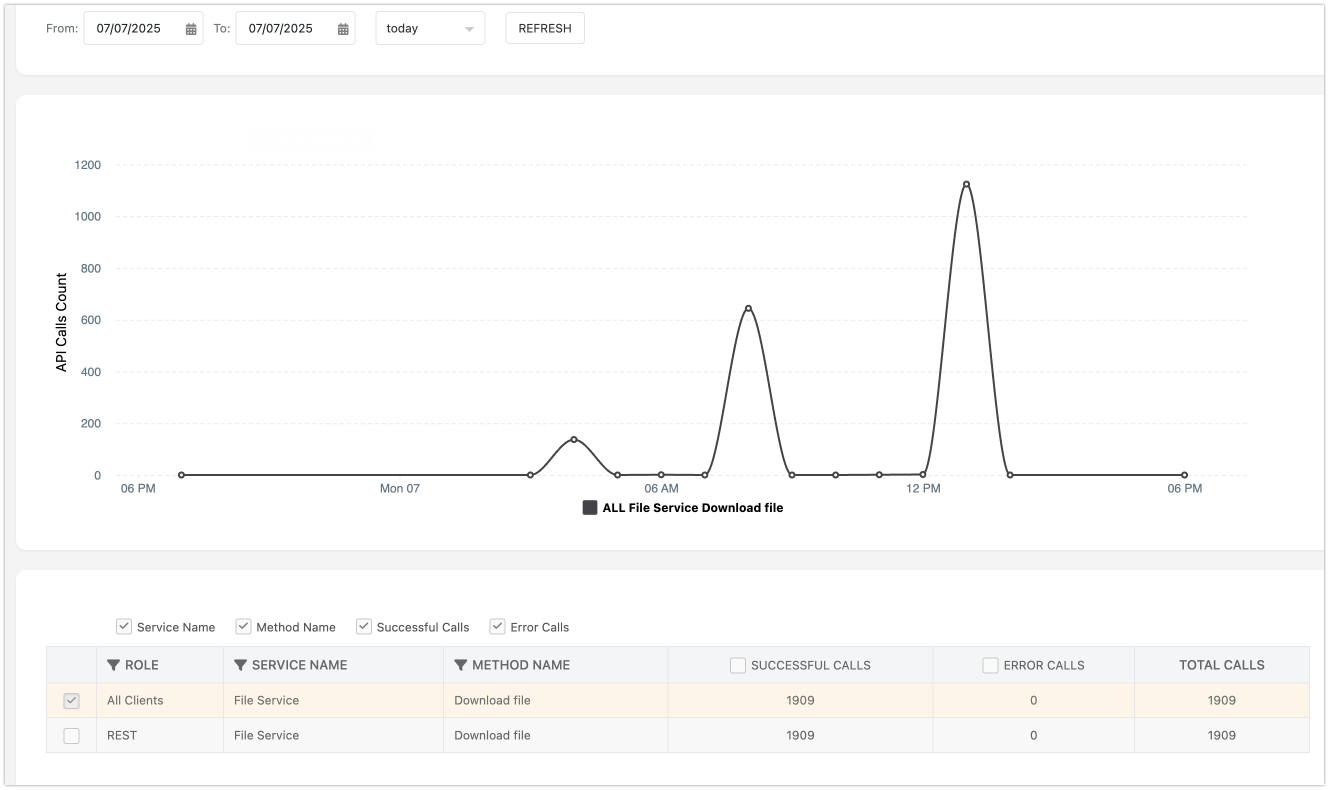
I checked your app to see where the API activity is coming from. I see there are more than a few API requests. For example, on June 3rd alone, there were more than 4000 requests:
We pulled the access log from that day, and the requests are spread out throughout the entire day, starting from 13:31:11 GMT0 till 22:26:32 GMT0. Similar activity is occurring on other days (the first spike in the chart was on May 9th, with more than 10,000 requests).
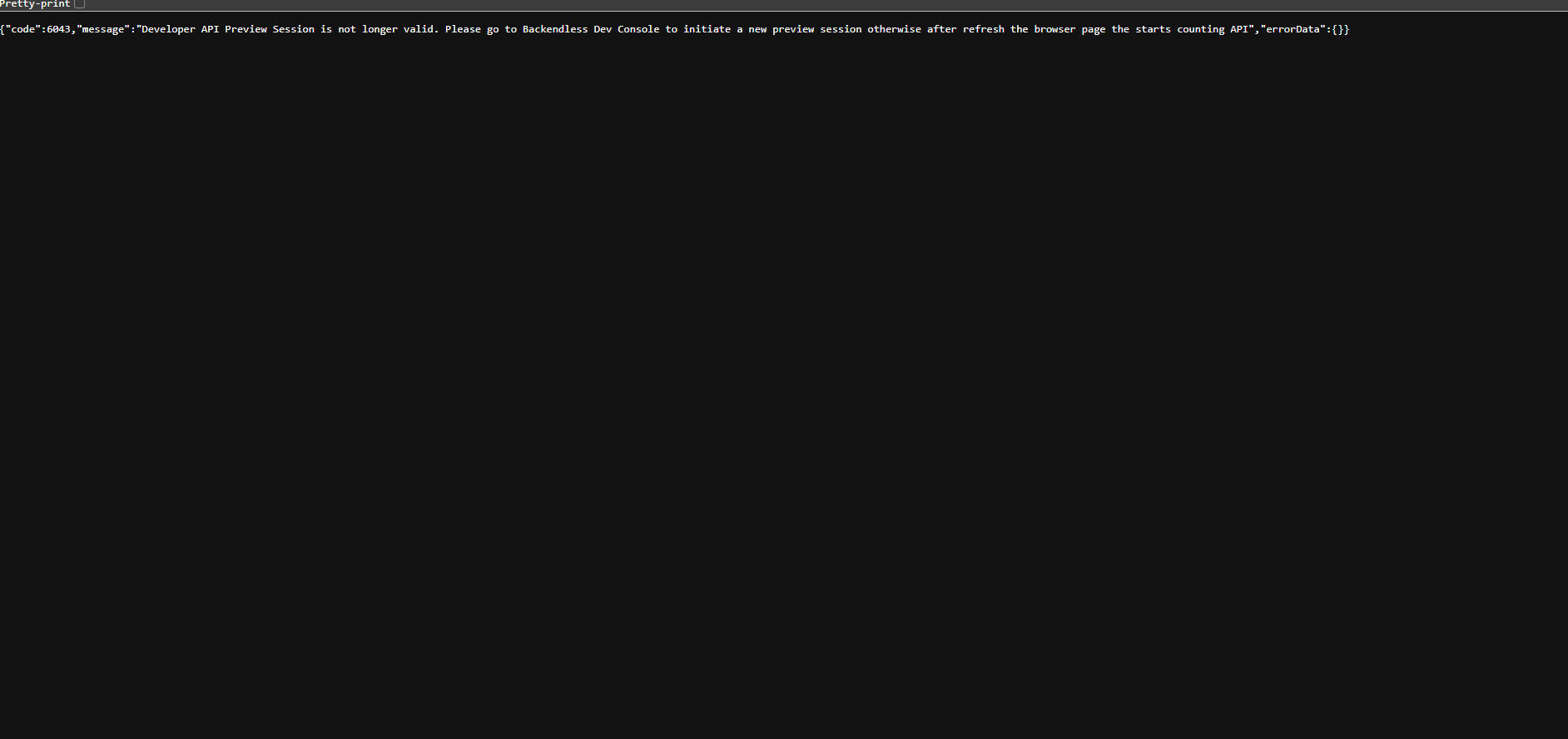
Regarding debug sessions, they last 30 minutes and are indeed designed to allow for frictionless testing and development. When a page in testing mode opens, the system assigns a cookie that we use to designate the session as “in development.” Perhaps the browser you use rejects the cookie, or the cookies are disabled. This would explain why the API calls are counted. However, by looking at the activity log, it must be some wild development sessions
We were just charged over $50 again when we should only be charged about $15.
Since Backendless is only being used for front-end development and NO hosting.
The only things that I am doing with Backendless is designing a front-end, and generating the zip file to be hosted elsewhere.
The preview link appears to be working correctly, when it expires, I get the usual message about the preview session expiring and I click the link again to regenerate the cookie.
According to you, there are not supposed to be charges involved with using the preview link.
I’m not even using the Backendless API. Not for users, or any data.
$50+ is a far cry from $15!
I would appreciate it very much if you could tell me why we are being charged so much.
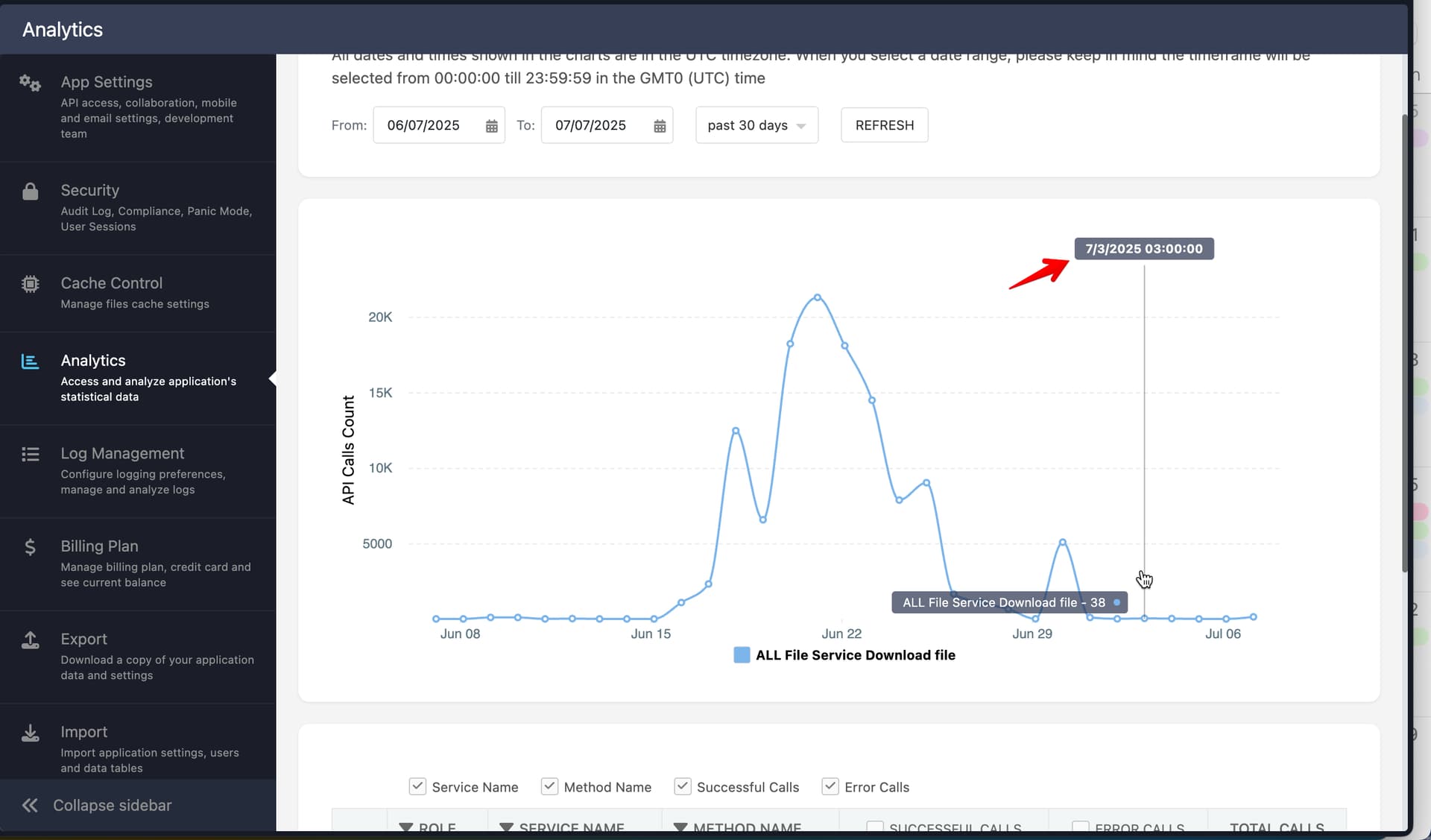
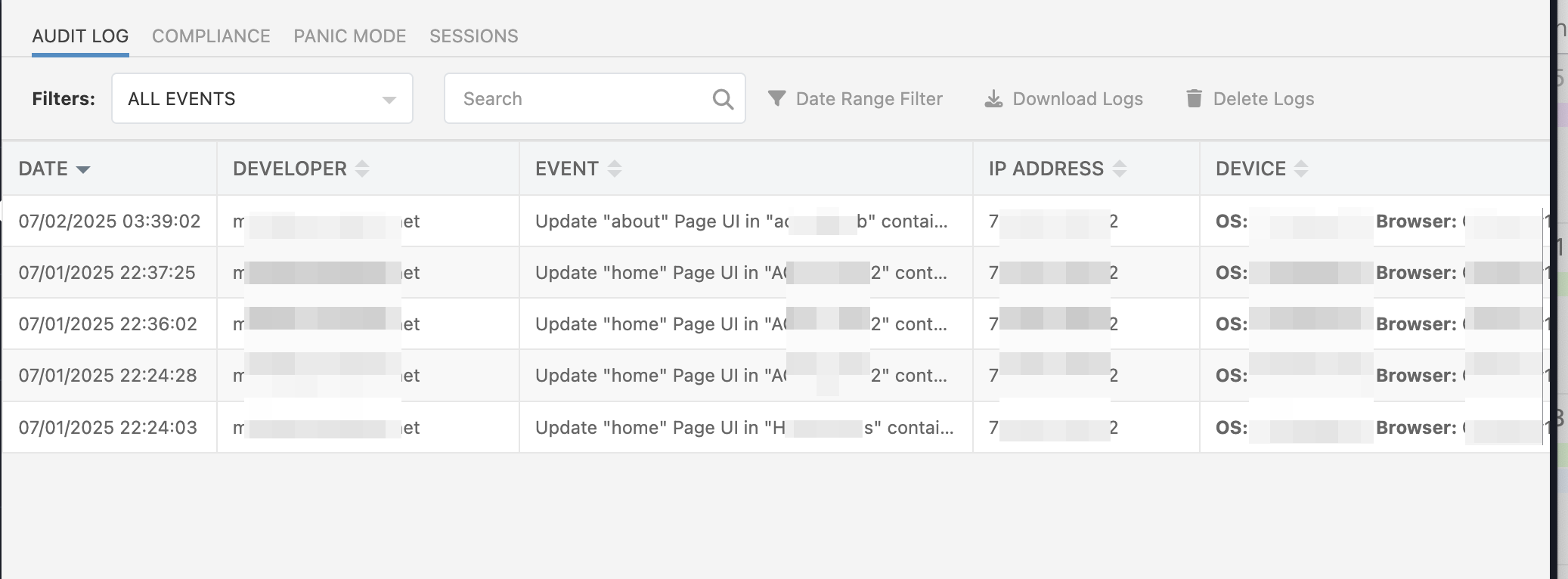
We investigated your issues and found that on 03 July 2025, you didn’t make any changes in the UIBuilder, but on the Analytics screen, there are API Calls (download files), so perhaps your API Calls are not related to the UI Builder development process.
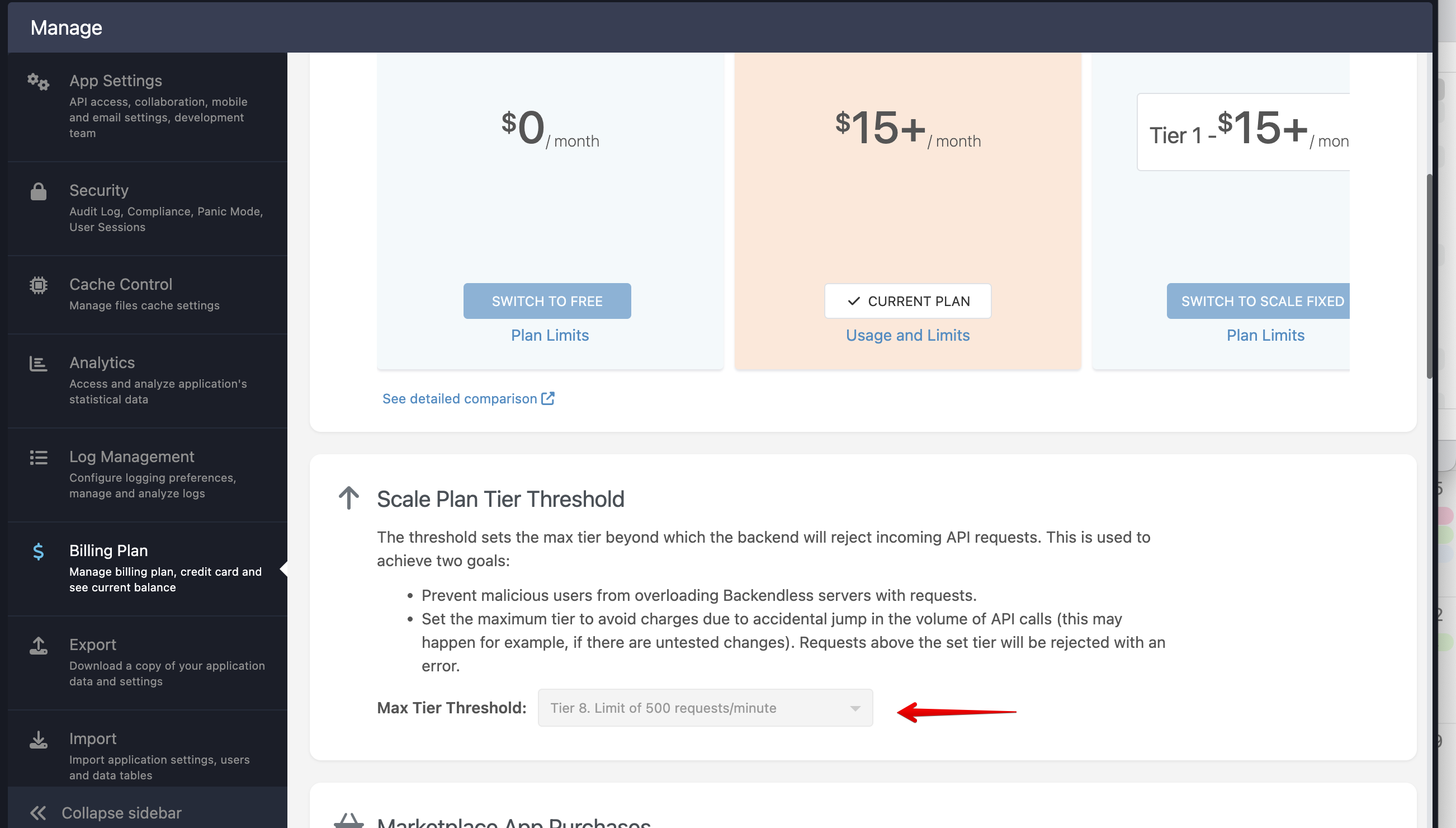
I can recommend changing the Max Tier threshold to a lower one, it will reject all requests that are over that limit, and it should not affect the dev process in UI Builder
If the development API calls (with the preview cookie) are supposed to be free, what, exactly are all of these API calls, and where are they coming from?
Again, I’m not hosting this site with Backendless, I’m not using the user or data APIs.
I’ve modified the settings.json file and nothing is even pointing to Backendless.
So, if we’re not supposed to even be charged for the development API calls, what are we being charged for?
I believe it was addressed in the first response by Vladimir:
I am struggling to call something “development calls” when no development changes have been made to the app.
When a file is fetched from Backendless, it is an API call. So even if you do not use the database, but fetch files, those are calls. You can minimize these calls by using an approach I described in an earlier response in this thread.
You stated before that when we view (preview) a site in development that we were not supposed to be charged for the the DEVELOPMENT API calls (again, using the “Preview” link)
That’s what I’m talking about.
I stated above that Backendless is not hosting any of the files, and we are not using the Backendless APIs for anything.
I use Backendless for development only, test using the “Preview” link (and cookie) I re-click on the preview link when the cookie expires.
Then I generate a zip file when I’m finished and host the site elsewhere.
I’ve already stated that I’m not using the Backendless APIs for anything within the site.
According to my understanding, we should only be charged 1 API call for this entire process, and that’s for downloading the zip file.
When you are developing something, doesn’t come with some kind of changes?
You make a change in the app/ui - you give it a try to see how it works? In the instance that Vladimir pointed out - there are no changes being made, yet, the files are being fetches. How is that a development?
If you are not making any changes in the app and try to use the preview link, it stretches the concept of “developing” pretty far.
It’s normal to test something after changes are made using the “Preview” link – which is why it exists.
I only use the preview link to test when there are changes!
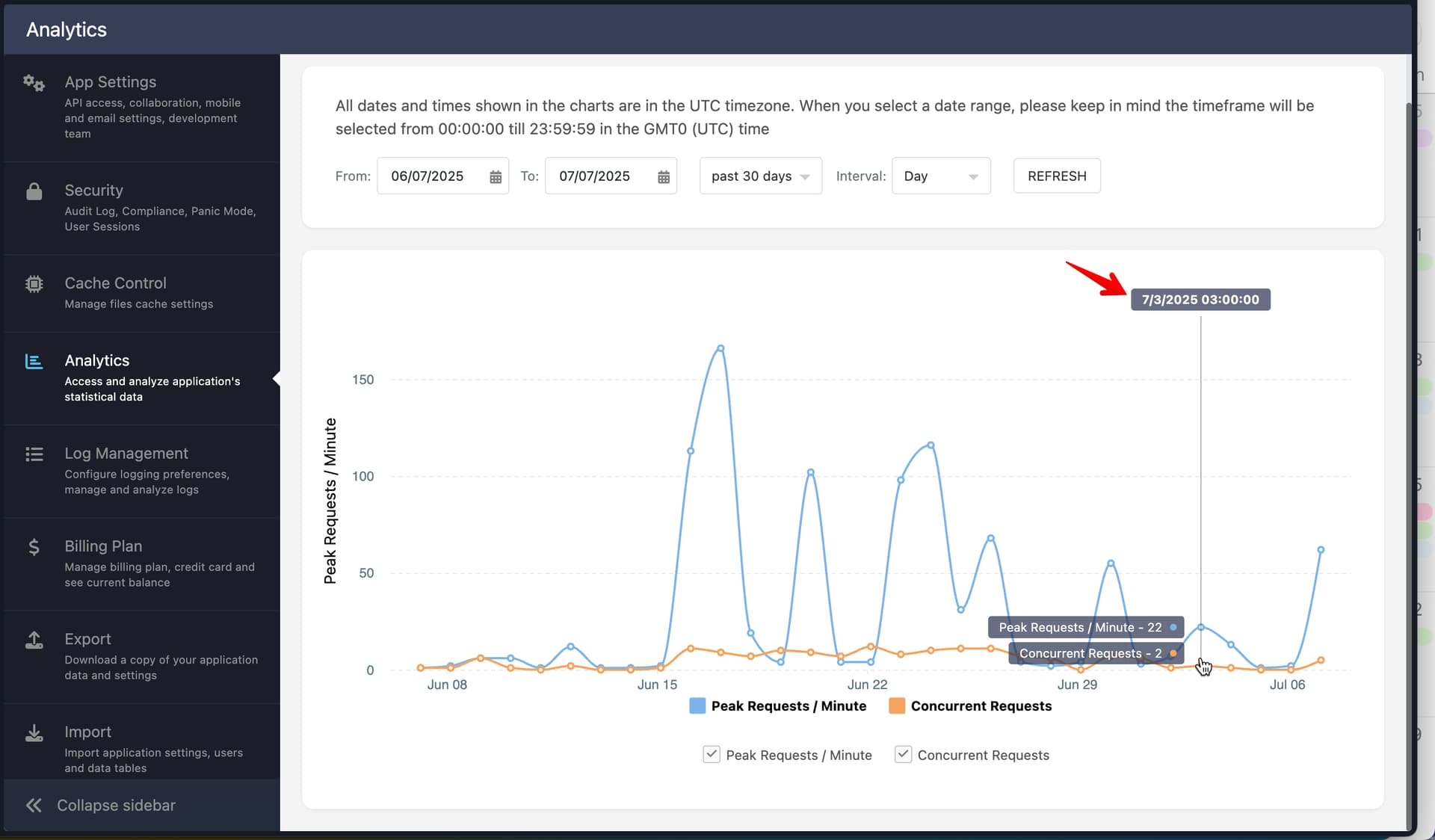
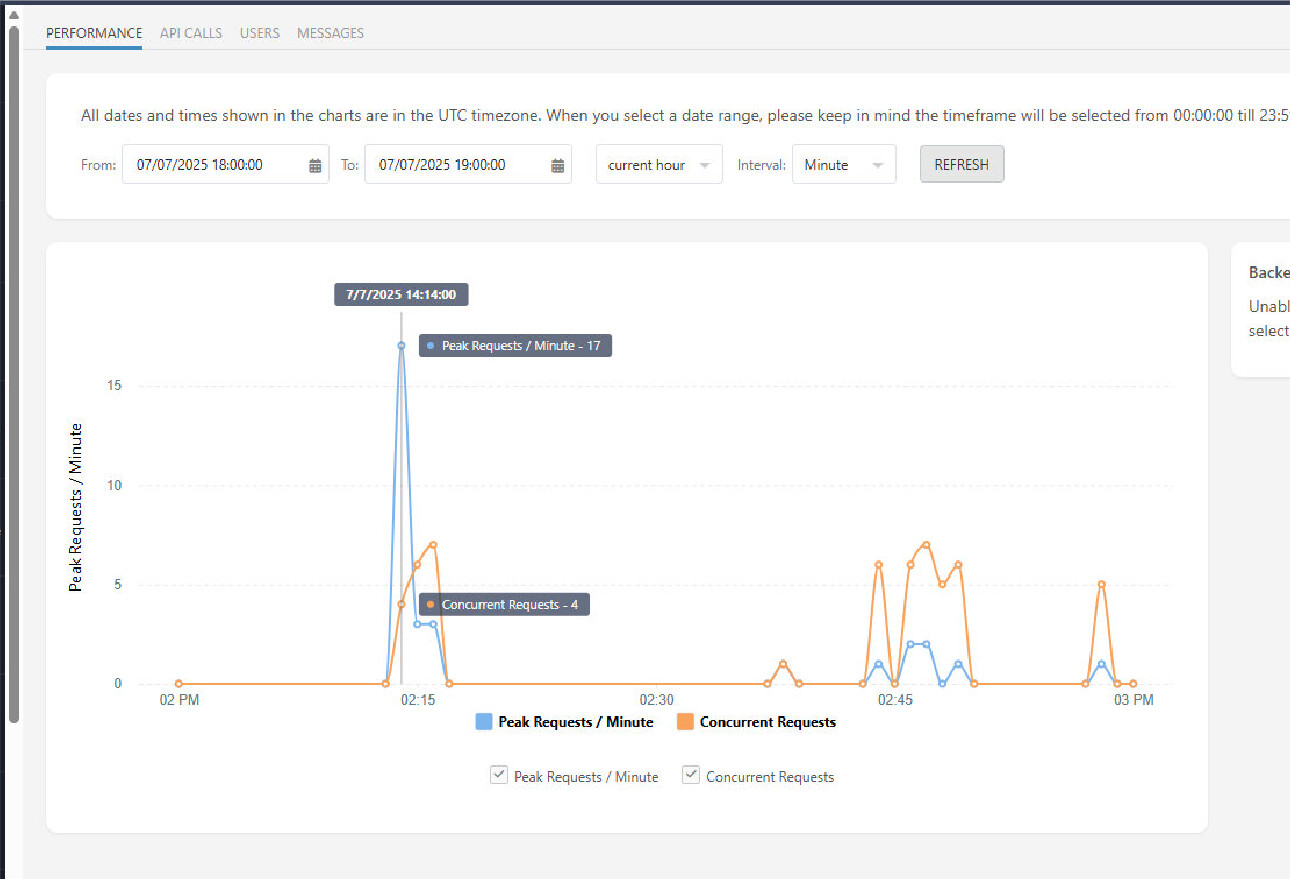
I’ve been testing to see what’s happening, maybe if you can tell me what the 2 API calls are for today at 14:46 EST & 14:47 EST are it might point me in the right direction.
All I did is try the preview link a few times to see if the API calls would show up in the analytics, and some did.
When you launch a preview, we set a cookie to differentiate your user session as “development”. If the cookie is present, the files fetched for that session for the next 30 minutes will not be counted for the API calls. Perhaps your browser reject the cookie. You can check if it is present using the browser’s DevTools panel: