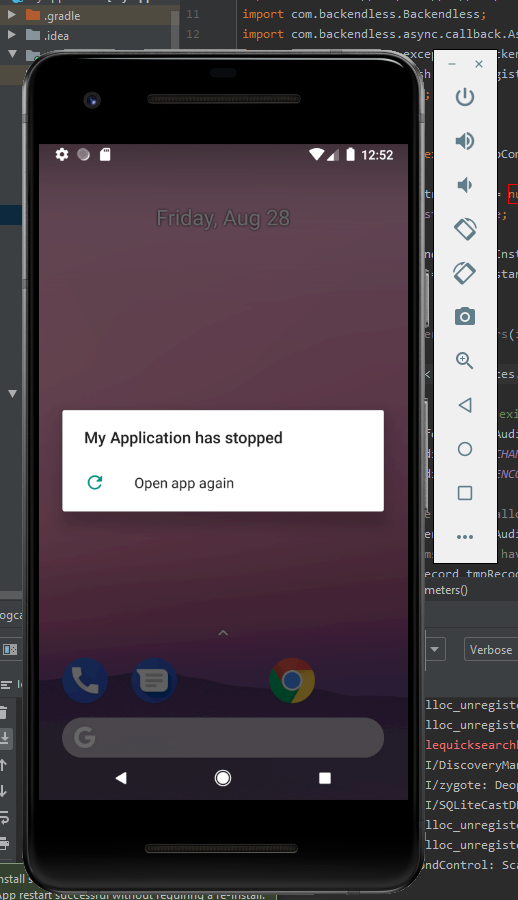
Hi there, I’ve spent hours on this task… Can’t seem to get it to work.
The current issue I have is that whenever I run the app, it says it stops.
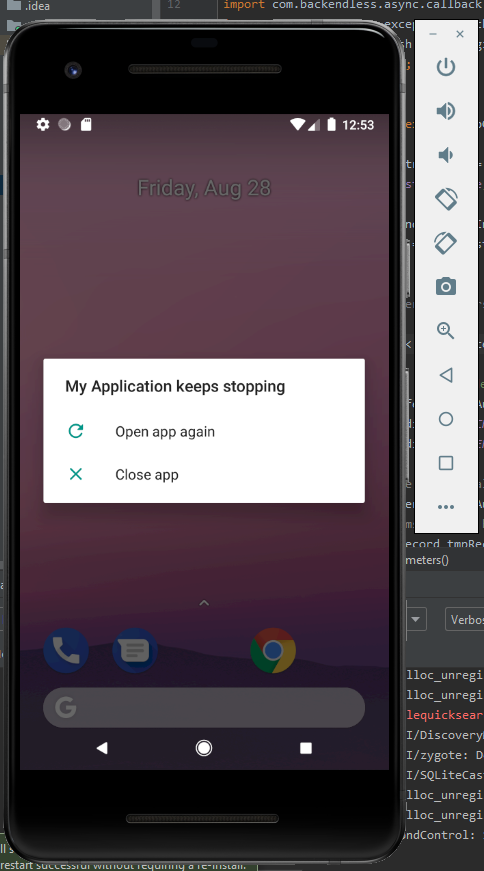
When I click on try again, it says it keeps stopping.
I followed the documentation, video tutorial, and troubleshooted some of the other errors myself, but I can’t seem to figure this one out.
Any help is greatly appreciated 
Hello, @Peculiar_Yogi
Seems like you hadn’t caught some errors and they crashed your app. Try to debug your code and fix it
Regards, Igor
Hey Igor, this came up in the log:
2020-08-28 21:34:43.038 10495-10495/com.example.myapplication E/AndroidRuntime: FATAL EXCEPTION: main
Process: com.example.myapplication, PID: 10495
java.lang.RuntimeException: Unable to instantiate activity ComponentInfo{com.example.myapplication/com.example.myapplication.MainActivity}: java.lang.InstantiationException: java.lang.Class<com.example.myapplication.MainActivity> has no zero argument constructor
    at android.app.ActivityThread.performLaunchActivity(ActivityThread.java:2679)
    at android.app.ActivityThread.handleLaunchActivity(ActivityThread.java:2856)
    at android.app.ActivityThread.-wrap11(Unknown Source:0)
    at android.app.ActivityThread$H.handleMessage(ActivityThread.java:1589)
    at android.os.Handler.dispatchMessage(Handler.java:106)
    at android.os.Looper.loop(Looper.java:164)
    at android.app.ActivityThread.main(ActivityThread.java:6494)
    at java.lang.reflect.Method.invoke(Native Method)
    at com.android.internal.os.RuntimeInit$MethodAndArgsCaller.run(RuntimeInit.java:438)
    at com.android.internal.os.ZygoteInit.main(ZygoteInit.java:807)
 Caused by: java.lang.InstantiationException: java.lang.Class<com.example.myapplication.MainActivity> has no zero argument constructor
    at java.lang.Class.newInstance(Native Method)
    at android.app.Instrumentation.newActivity(Instrumentation.java:1174)
    at android.app.ActivityThread.performLaunchActivity(ActivityThread.java:2669)
    at android.app.ActivityThread.handleLaunchActivity(ActivityThread.java:2856)
    at android.app.ActivityThread.-wrap11(Unknown Source:0)
    at android.app.ActivityThread$H.handleMessage(ActivityThread.java:1589)
    at android.os.Handler.dispatchMessage(Handler.java:106)
    at android.os.Looper.loop(Looper.java:164)
    at android.app.ActivityThread.main(ActivityThread.java:6494)
    at java.lang.reflect.Method.invoke(Native Method)
    at com.android.internal.os.RuntimeInit$MethodAndArgsCaller.run(RuntimeInit.java:438)
    at com.android.internal.os.ZygoteInit.main(ZygoteInit.java:807)
Please help to make sense of this… We’re non-coders 

@Peculiar_Yogi, the exception is thrown not on Backendless’s side.
What can I advice at first glance: look towards the constructor of the class MainActivity. Looks like you have to pass more than one argument to it.
Hey Igor, yea, I understand it’s not Backendless’s issue…
But I’m requesting for help to fix this so I can complete the mission
I don’t quite understand you - what do you mean to “pass more than one argument to it”?
We understand you want to complete the mission and it is great! However, please understand we cannot write code for you. You need to try to figure out where the issue is yourself. Google it, research, try things out…
@Igor_Bogunkov I managed to solve it after reading this… https://stackoverflow.com/questions/43229867/java-lang-instantiationexception-class-has-no-zero-argument-constructor-error
I added in
public MainActivity() {
}
and it just worked.
@mark-piller Can I suggest to clarify some parts of the video tutorial to explain a bit more on the AndroidManifest.xml and MainActivity.java files? Other than that, the tutorial is very clear. Thank you so much
1 Like
@Peculiar_Yogi, I think if we start explaining things such as AndroidManifest or activities, we might as well publish a training course on Android development. There is a ton of information on the web, you just need to search for it. Even our documentation is complete with very granular details.
@mark-piller Ok, I understand where you’re coming from. I agree that the documentation is very complete and clear. I guess it’s inevitable that users have to learn some debugging even if they don’t know coding, and make sense of the info that is out there on the internet.
Thank you and @Igor_Bogunkov for helping