See all Logic for a page?

I’m looking at the great examples provided by backendless and want to view all the Logic for a page. Is there a way to see everything?

Also, if I’m looking at the logic for a component, can I go up a level somehow without going back to the interface?

I seem to spend a lot of time clicking around and think there must be a faster way to do what I’m trying to do.

Thanks,
Tim

Frontend->UI Builder->Logic
Is this what you are looking for?

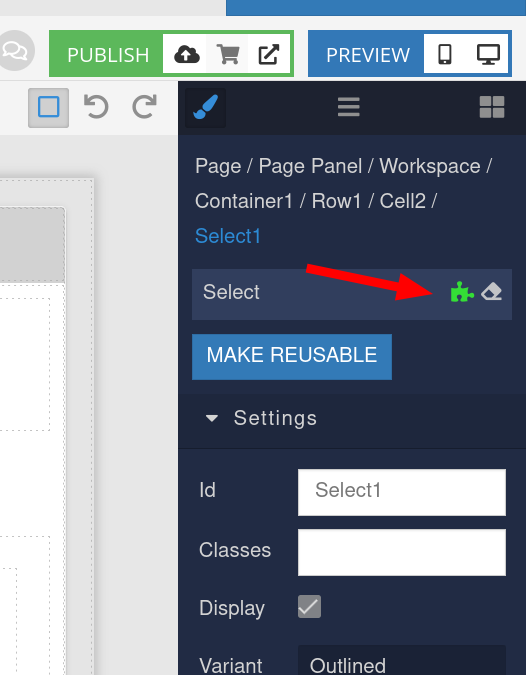
And this sign is link to the codeless logic of the component:

Yes! I don’t know how I missed that.

Second question.
If I’m at - Frontend->UI Builder->Logic
And I click into something so I’m at Frontend->UI Builder->Logic->Header->On Click
Is there a way to click something to go up to Frontend->UI Builder->Logic->Header?
How do I get back to Frontend->UI Builder->Logic without clicking on User Interface and then Logic?

Thanks,
Tim

Is there a way to click something to go up to Frontend->UI Builder->Logic->Header?

image

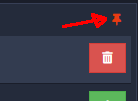
You could click on Pin icon, to detouch from current Handler and return to Menu with all handlers for all components.

That is that what that does? I think of pinning something to have permanence, so I didn’t want to pin/unpin something. If I’m understanding you correctly pinning is used in navigating the logic and pinning/unpinning has no lasting impact on the order of the logic display?
Tim

Yeah, you’re right. Looks quite confusing.

As I said earlier this pin is used for navigation between handlers related to the current component, and all handlers.

But after you said about it, I understood we should discuss that with the team, and make it more clear for all users.

Thank you!

Thank you!